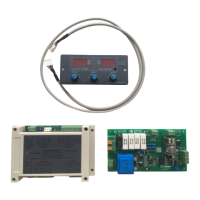
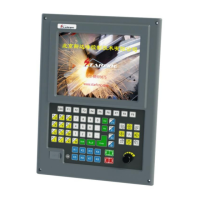
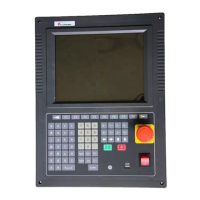
SF-HC25C3 Height Controller
12
4. Parameters shows
4.1 Parameters set
There are three commonly used parameters and 30 enhanced parameters: 1. Set
voltage. 2. Starting arc delay. 3. Locate latency. These parameters can be directly set
corresponding knob on the panel to adjust adjustment.
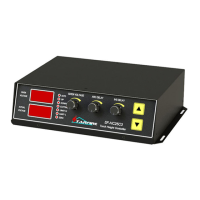
1, set voltage, can at any time by the knob”GIVEN VOLTAGE” to adjust the "height", on
the left side of the digital tube display voltage value set, the unit: (v), clockwise to
increase the voltage, counterclockwise to reduce voltage.Automatic cutting according to
the parameters of the controller adjust the distance between the nozzle and the steel
plate, make the arc voltage is always closer to set the voltage.This parameter can be
directly as a set of highly.Specific set number according to the selected power supply
manufacturers provide technical parameter Settings.
2, rev arc latency, punch time should be used according to the actual perforated time
Settings, different thickness of steel plate and different current when the time is also
different. Set by the knob”ARC DELAY”, Clockwise to lengthen the period of rev arc,
counterclockwise to reduce arcing time.
3, positioning delay, initial positioning time is the initial positioning, cut down to touch
with steel plate, after ascending to the time required for setting height.The time required
for different lifting mechanism to promote a certain distance is different also, should be
set according to the actual situation. Set by the knob”IHS DELAY”,Clockwise rotation for
higher position height, counterclockwise to reduce positioning height. The display
PDF 文件使用 "pdfFactory Pro" 试用版本创建 www.fineprint.cn


 To Next Page
 Loading...