Need help?
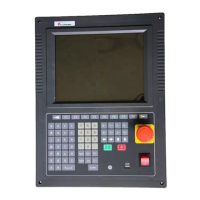
Do you have a question about the Starfire SF-2400 and is the answer not in the manual?
Details the purpose and usage of function keys F1-F8, S+, S-, and K1-K8 on the panel.
Describes the main screen layout, including status indicators and function key mapping.
Details parameters required before cutting, such as starting point, scale, layout, and rotation.
Configures cutting mode, speed, slot, preheating, and how to enter the processing interface.
Explains how to initiate automatic processing and adjust cutting speed during operation.
Describes how to pause the cutting process and use related controls like back, advance, and return.
Explains how the system automatically recovers from breakpoints or power interruptions.
Covers the functions available in the nesting menu for arranging parts on a steel plate.
Describes the process of teaching the dimensions and shape of the steel plate for nesting.
Details how to set various speed-related parameters for motor control and cutting.
Explains configuration of system parameters like coordinate systems, electronic gears, and offsets.
Outlines the steps for upgrading the system software using a USB drive.
Provides guidance on common upgrade issues and contact information for support.
 General
| Brand | Starfire |
|---|---|
| Model | SF-2400 |
| Category | Controller |
| Language | English |

 To Next Page