EasyManua.ls Logo

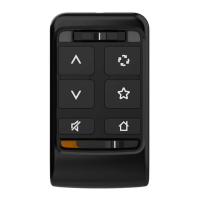
Starkey Remote - User Manual

Starkey Remote
19 pages
Print Icon
To Next Page IconTo Next Page
Loading...
Remote
OPERATIONS MANUAL

Questions and Answers

Summary

Introduction to the Starkey Remote

Basic Use of the Remote

Pairing Process

Guides users through initial setup and connection of the remote to hearing aids.

Ear Selection Switch Operation

Controls whether adjustments are made to one or both hearing aids.

Volume and Home Button Functions

Adjusts sound levels, streams, and resets hearing aids to default settings.

Lock;Unlock Remote Functionality

Prevents inadvertent changes and extends battery life by locking the remote.

Mute;Unmute and Memory Change

Temporarily turns off hearing aid sounds and cycles through available hearing aid memories.

Favorite Button Configuration

Details customizable functions for the Favorite button, like streaming or comfort boost.

Optional Lanyard Attachment

Troubleshooting Common Issues

Regulatory and Safety Information

Disposal and Recycling Instructions

Provides guidance for proper disposal of electronic equipment and battery.

Intended Use and Warnings

Details the remote's purpose and general warnings for use with medical devices.

Wireless Technical Specifications

Outlines technical details, compliance, and operational parameters of the remote.

FCC;IC Compliance Information

States compliance with FCC and ISED Canada regulations for radio frequency devices.

Starkey Remote Specifications

General IconGeneral
BrandStarkey
ModelRemote
CategoryRemote Control
LanguageEnglish

Related product manuals