EasyManua.ls Logo

Starkey ITE R - User Manual

Starkey ITE R
27 pages
Print Icon
To Next Page IconTo Next Page
Loading...
Custom
Products
OPERATIONS MANUAL
Rechargeable ITE (In-The-Ear)
Rechargeable ITC (In-The-Canal)
Rechargeable
Smartphone-Compatible
and Universal Connectivity

Questions and Answers

Summary

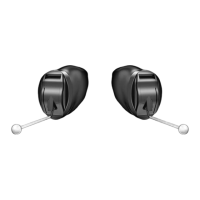
ITE R Overview

Features, Controls and Identification

Details features, controls, and identification of the ITE R hearing aid model.

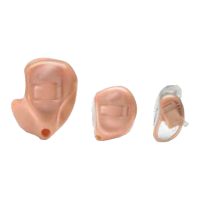
ITC R Overview

Features, Controls and Identification

Details features, controls, and identification of the ITC R hearing aid model.

Charger Overview

Features, Controls and Identification

Outlines the features, controls, and identification of the hearing aid charger.

Preparation

Charging Your Hearing Aids

Instructions and guidance on how to charge your hearing aids.

Charger On-Board Battery LEDs

Explains the on-board battery LEDs on the hearing aid charger.

Insertion and Removal

Step-by-step guide for inserting and removing hearing aids.

Helpful Hints

Provides advice and cautions regarding ear comfort and potential reactions.

Power On & Off

Details how to power hearing aids on and off, both automatically and manually.

Operation

Auto On;Off

Explains the automatic low-powered state for battery conservation.

User Controls

Information on customized user controls and how to inquire about them.

Available User Control Functionality

Explains how user controls respond to different press durations.

Tap Gesture

Describes the optional double-tap user control functionality.

Edge Mode

Details the Edge Mode feature for temporary, real-time adjustments.

Assigned User Control Settings

Table showing user control assignments for various functions.

Volume Control

Information on setting volume level and sprinkler volume control.

Up;Down Volume Control

How to adjust volume using dedicated up/down controls.

Rotary Volume Control

Instructions for adjusting volume using a rotary control.

Volume Control Indicators

Audible indicators for current volume positions.

Battery Indicators

Explanation of audible indicators for battery status.

Memory Change

How to access multiple hearing aid memories via user control.

Memory Indicators

Audible indicators for memory changes.

Mute

How to mute the hearing aid using a long press and hold of the user control.

Multiflex Tinnitus Level Control

Adjusting the level of Multiflex Tinnitus stimulus.

Body and Brain Tracking

Information on sensors for tracking health data via the Thrive app.

Directional Settings

Explains directional microphones for speech understanding.

Telephone Use

Customizing hearing aids for effective telephone communication.

Automatic Telephone Memory and Telecoil

Automatic activation of telephone memory when using compatible phones.

Manual Telephone Memory and Telecoil

Manual switching to telephone or telecoil memory.

General Telephone Use

Tips for using phones with hearing aids, including feedback and background sound reduction.

Multiflex Tinnitus Technology

Introduction

Overview of Multiflex Tinnitus Technology as part of a treatment program.

Sprinkler Tinnitus Stimulus Control

How to adjust tinnitus stimulus level using the sprinkler control.

Fall Alert

Introduction

Overview of the Fall Alert feature for notifying others of falls.

Auto Alert

Automatic fall detection and SMS notification via the Thrive app.

Manual Alert

Manually initiating an alert via user control for fall detection.

Alert Cancellation

How to cancel an Auto Alert or Manual Alert.

Contacts

How to set up to three contacts for alert messages.

Auto Alert Sensitivity

Adjusting sensitivity for detecting falls and reducing false alerts.

Indicators

Speech and tonal indicators for Fall Alert events.

Adjustment

Pairing Your Hearing Aid with an iOS Device

Step-by-step guide to pair hearing aids with an iOS device.

Native iOS Hearing Aid Controls

Accessing and using native iOS controls for hearing aids.

Mobile Phone Use

How hearing aids interact with smartphones for calls and audio.

Pairing Your Hearing Aid with an Android Device

Guide to pair hearing aids with an Android device using the Thrive App.

Accessories

Accessories

Information on accessories that enhance hearing aid functionality.

Hearing Aid Care

Hearing Aid Care

Guidelines for cleaning and maintaining hearing aids to ensure performance.

Helpful Hints

Advice on storing hearing aids and avoiding damage.

Charger Care

Instructions for cleaning and maintaining the hearing aid charger.

Hear Clear Receiver Wax Guards

Instructions for replacing earwax protection guards.

Custom Microphone Cover

Information on the custom microphone cover and its maintenance.

Service & Repair

Guidance on what to do if hearing aids malfunction or require repair.

Troubleshooting Guide

A guide to diagnose and solve common hearing aid issues.

Charger Troubleshooting Guide

Troubleshooting steps for common charger problems.

Tips for Better Communication

For You

Communication tips for hearing aid users to improve understanding.

For Your Family & Friends

Tips for family and friends to aid communication with hearing aid users.

Regulatory Information

Safety Information

Important safety precautions and intended use for hearing aids.

Use on Aircrafts

Information on using hearing aids while on an aircraft.

International Use

Considerations for using hearing aids internationally.

Required Hearing Aid Information

FDA-required information for hearing aid users and dispensers.

Important Notice for Prospective Hearing Aid Users

Advice for individuals considering hearing aids, emphasizing medical evaluation.

Children With Hearing Loss

Guidance for children with hearing loss, focusing on audiology.

For the Patient

Information for patients regarding tinnitus therapy devices.

Tinnitus Therapy Concepts and Benefits

Benefits and concepts of using Multiflex Tinnitus Technology.

Prescription Use Only

Federal law restricts sale to licensed practitioners.

Important Notice for Prospective Sound Generator Users

Medical evaluation advice for prospective sound generator users.

Tinnitus Technical Data

Technical output specifications for Multiflex Tinnitus Technology.

Wireless Technical Description

Technical details of the hearing aid's wireless transceiver.

Regulatory Notices

FCC and IC identification numbers for the hearing aids.

FCC Notice

Compliance statement for FCC rules and ISED Canada standards.

Instructions for Disposal of Old Electronics

How to properly dispose of old hearing aids and chargers.

For Hearing Professionals

Indications for Use

Intended use of Multiflex Tinnitus Technology for adults over 18.

Device Description

Description of Multiflex Tinnitus Technology software function.

Warning to Hearing Care Practitioner

Warning to practitioners regarding user medical evaluation.

Starkey ITE R Specifications

General IconGeneral
BrandStarkey
ModelITE R
CategoryHearing Aid
LanguageEnglish

Related product manuals