StarLine S9 v2
22
and backward accordingly.
Submenu options are selected with 2 and 3 buttons short push:
2
3
.
Parameters are tuned with
2
and
3
(buttons short push up and down
accordingly.
Long buttons pushing increases parameters tuning speed.
Listing menu points, changing settings and menu exit are conrmed with
melody.
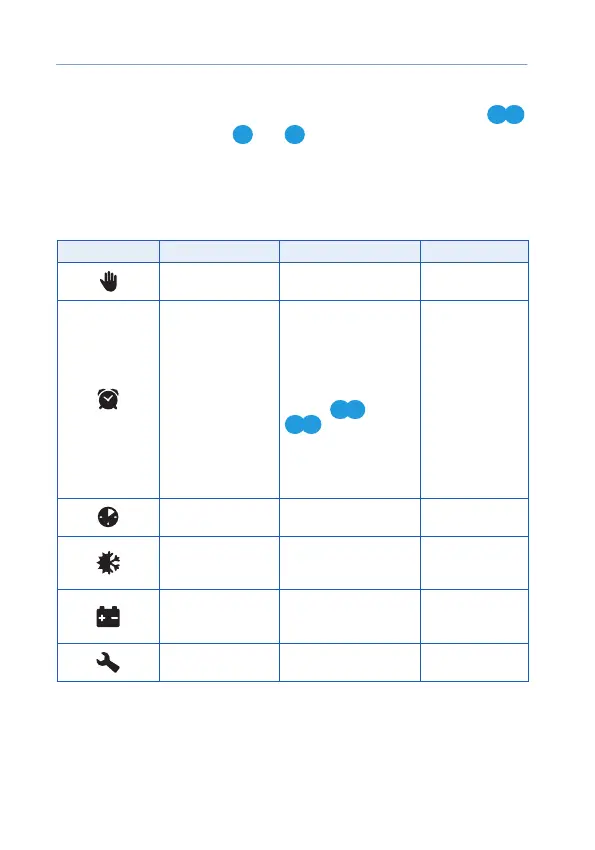
Icons Parameters Description Tune step
Hands Free mode
Enable / disable Hands
Free mode
—
Automatic engine
and parking heater
start by timer
Set engine start hour
and min.
Engine and parking
heater autostart
settings are switched
with short pushing
buttons
1 2
and
3 4
.
Engine start settings
are indicated with
digit 1, parking heater
settings – with digit 2.
1 min
Periodic engine
start
Set engine start interval
in hours
1 hour
Automatic
engine start by
temperature
Set engine start
temperature in Celsius
degrees
1 ºС
Automatic engine
start by battery
voltage
Set main storage
battery voltage limit
in Volts
0,1 V
Service mode
Enable / disable service
mode
—



 To Next Page