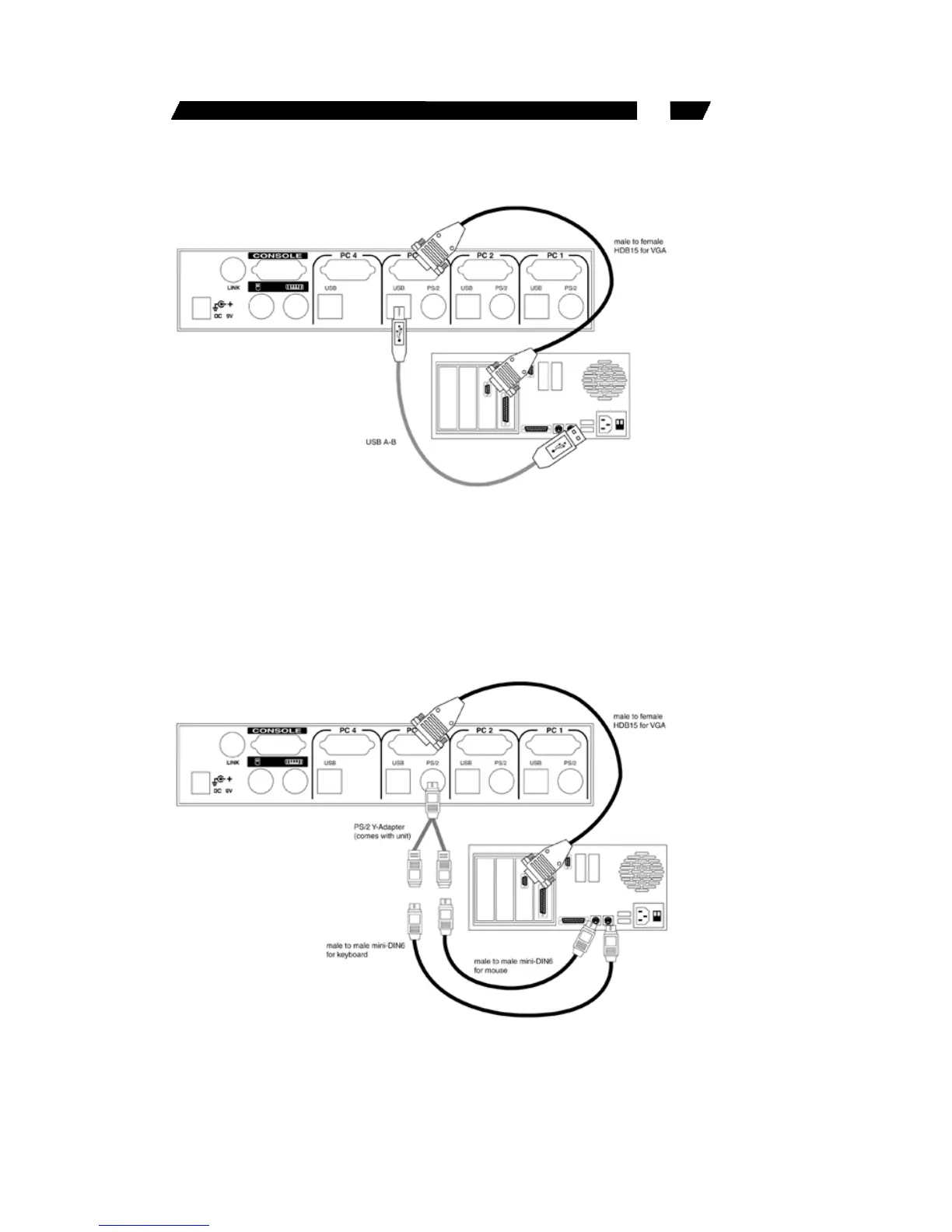
4
• For PS/2 computers: Connect a “PS/2 Y-adapter”, which comes
with the unit, to the SV431H PS/2, then use two mini-DIN6 male-to-
male cables for keyboard and mouse, see figure below. There are
two mini-DIN6 female connectors on the “PS/2 Y-adapter” marked as
keyboard and mouse. Be sure not to swap the connections.







 To Next Page