5
How to Use
Conguring the image being displayed by the monitor that is connected to the USB
3.0 Docking Station, can be done in one of two ways:
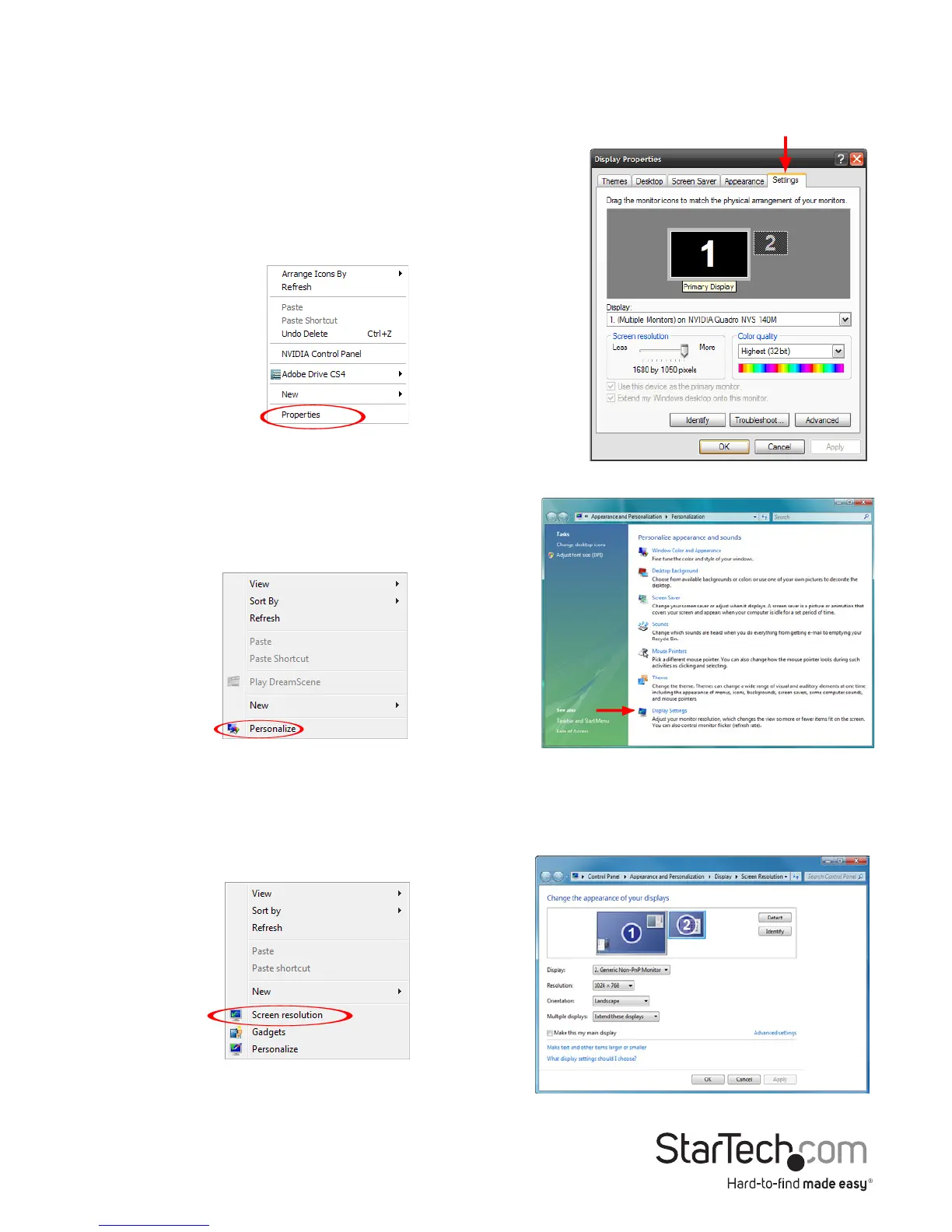
1. Accessing the Windows Display Settings
• Windows XP/Server 2003: right-click on a blank
area of the desktop, select Properties, then click
on the Settings tab:
• Windows Vista: right-click on a blank area
of the desktop, select Personalize, then
select the Display Settings option.
• Windows 8/7/Server 2008 R2: right-click on a blank area of the desktop, select
Screen Resolution.



 To Next Page