Instruction Manual
1
Introduction
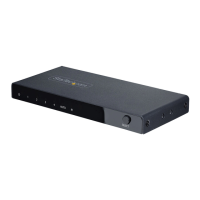
The VS123HD 3-port HDMI® Auto Switch features three prioritized HDMI input ports.
If the active HDMI source is turned o, disconnected, or otherwise lost, the switch
automatically selects the next available HDMI signal as the priority output, ensuring
the display is always receiving a signal.
The automatic switch includes an IR Remote Control, so you’ll be able to share an HD
projector or display between three HDMI audio/video sources, with the option to
manually control the switch from a distance or through the easy-to-use front panel
toggle button.
Ideal for High-Denition applications, this 3-in/1-out HDMI switch supports true
High-Denition 1080p resolutions (WUXGA/1920x1200 from PC/computer) as well as
7.1 Surround Sound audio, ensuring the best possible multimedia experience from
connected devices.
Backed by a StarTech.com 2-year warranty and free lifetime technical support.
Packaging Contents
• 1x 3 Port High Speed HDMI® Auto Switch
• 1x Remote Control
• 1x IR Extender Cable
• 1x Instruction Manual
System Requirements
• Video source devices (i.e. computer, Blu-ray Player)
• HDMI® enabled display device (i.e. television, projector)
• HDMI cables for Desired Number of input devices (up to 3)




 To Next Page