FM220U User Guide Doc. FM220U_Win_1.0
3
5.
Driver Installation
Install the driver before using the Startek fingerprint reader.
To manually install device drivers
You may download the Windows device driver from the link we provided.
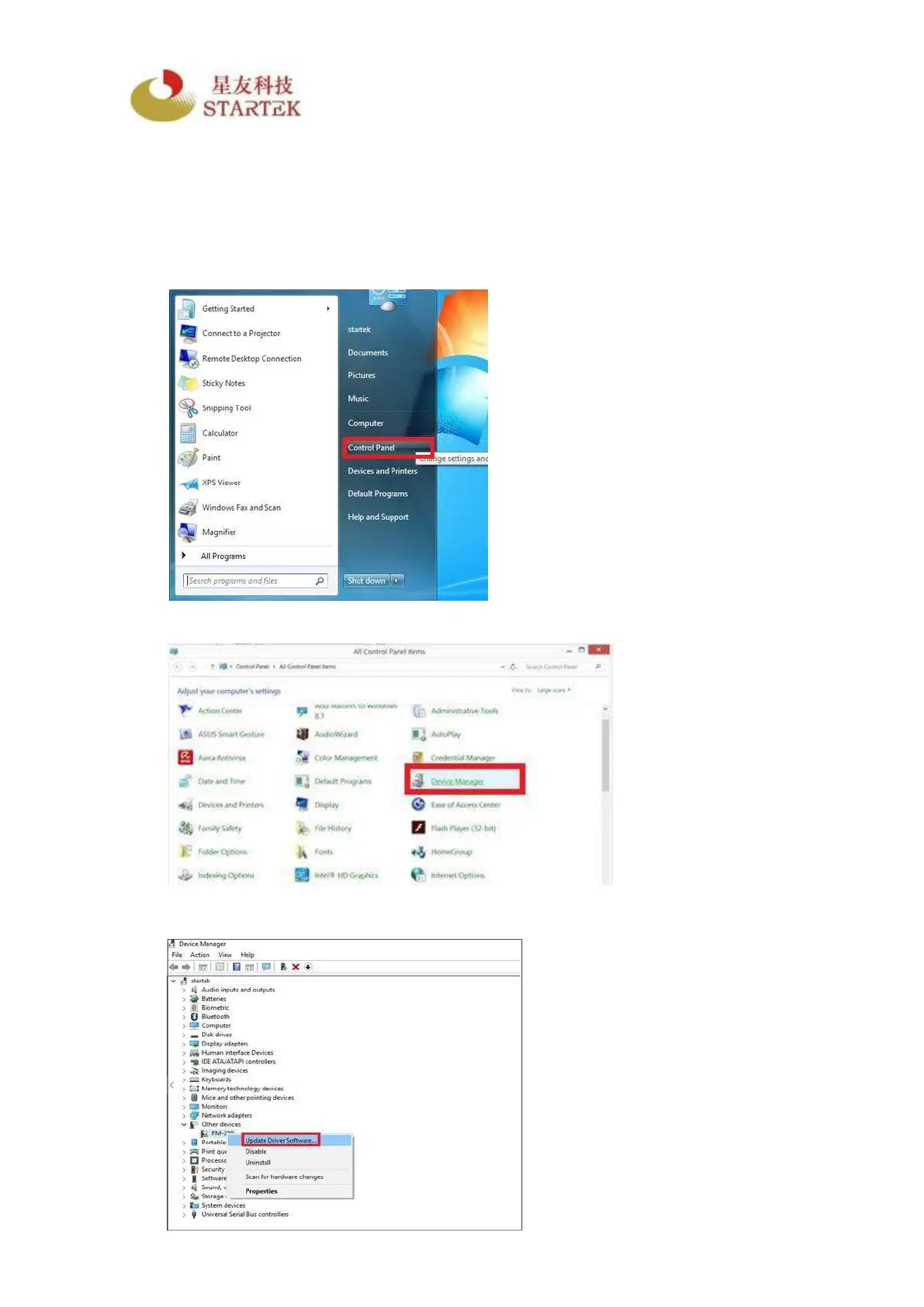
Step1. Enter “Control Panel”.
Step2. Select “Device Manager”.
Step3. Select “FM-220”. Right click and select “Update Driver Software…”



 To Next Page