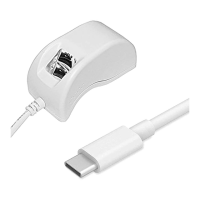
FM220 User Guide Doc. FM220_Win_1.0
7
7. How to Use Your Fingerprint Reader?
For best results:
Why the image quality is important?
Startek fingerprint recognition technology is based on minutiae-only: the unique
feature points of a fingerprint. After a fingerprint is scanned, minutiae are extracted
and processed into a template that will be used for biometric enrollment and
matching. If the scanned fingerprint is unclear or does not have enough contrast,
the minutiae may be inconsistently sampled, resulting in less accuracy and poor
performance. Certain environments and skin conditions, such as wet or dry skin,
can initially cause a fingerprint to appear too light or too dark.
Proper placement is the key to good results?
Startek fingerprint extraction algorithm is capable of extracting the correct minutiae
even without benefit of a perfect print. However, the proper placement of your
finger while scanning can help give more consistent results for any biometric
application. The suggestions below will help you get the best quality fingerprint to
ensure better performance and reduce the chances for failure to enroll or match
correctly.
8. How to scan your finger?
Place the pad of your finger at the center of the sensor
The pad is the fleshy part of the finger, located in the middle of the first segment.
Place the pad (not the tip) such that it covers the sensor area with maximum
contact. Be sure that the core of the fingerprint is scanned.



 To Next Page