FM220 User Guide Doc. FM220_Win_1.0
6
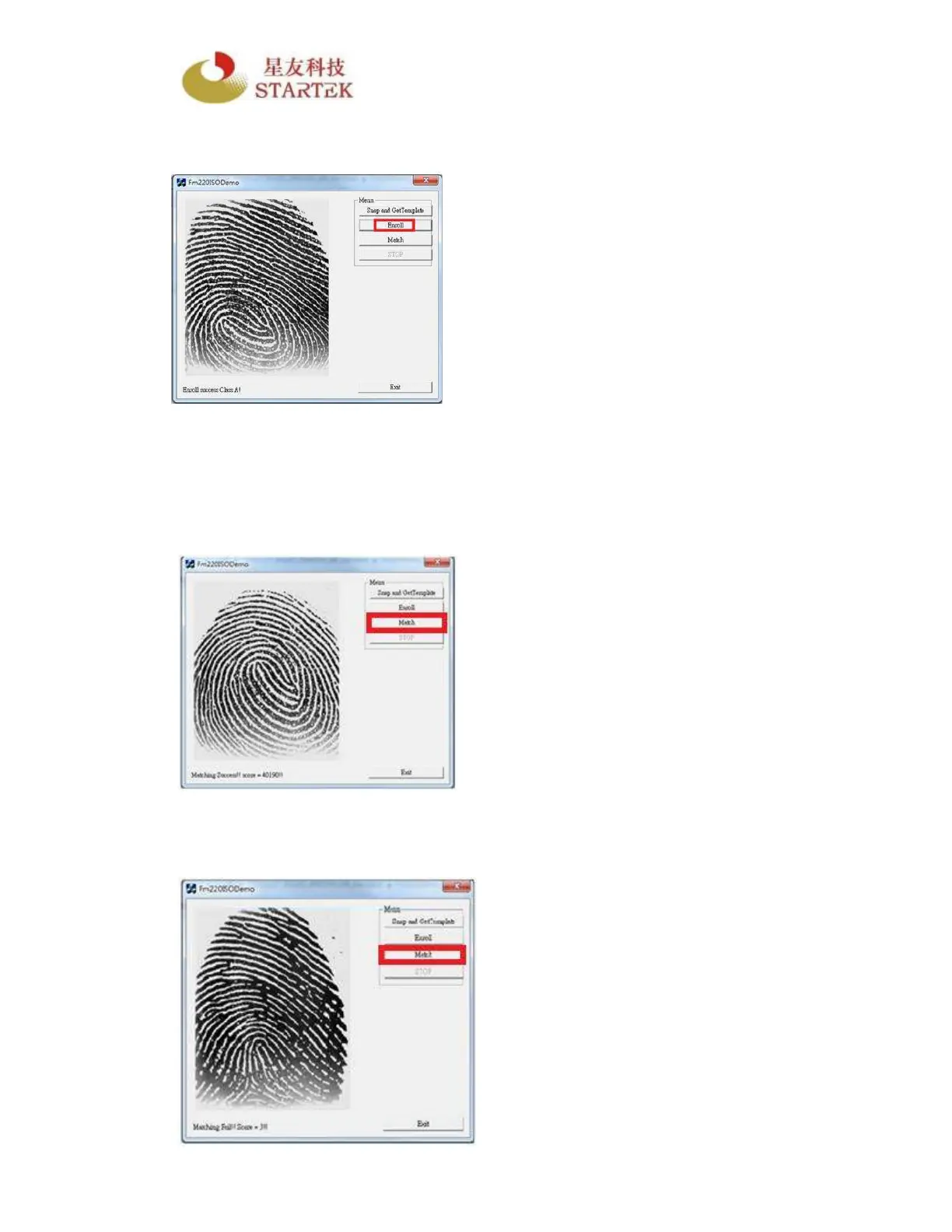
Step4. Follow the diagram instructions to Enroll clear fingerprints into the Host
Device or PC. Press and release the finger for three times as indicated.
Step5. Press the Match button to begin matching the fingerprints of a user whose
fingerprint data has been stored in the system. Press and remove the finger.
Upon successful matching with the user’s stored fingerprints, information is
displayed with a score. When the captured fingerprint image size is 256x324,
a score of 1500 and above ensures a security level with
minimum FAR 1/100,000
th
and FRR 1/100.
Step6. Press the Match button again to match the fingerprints by pressing
another finger which is not enrolled. Upon failed match, information is displayed
with a low score.



 To Next Page