FM220 User Guide Doc. FM220_Win_1.0
8
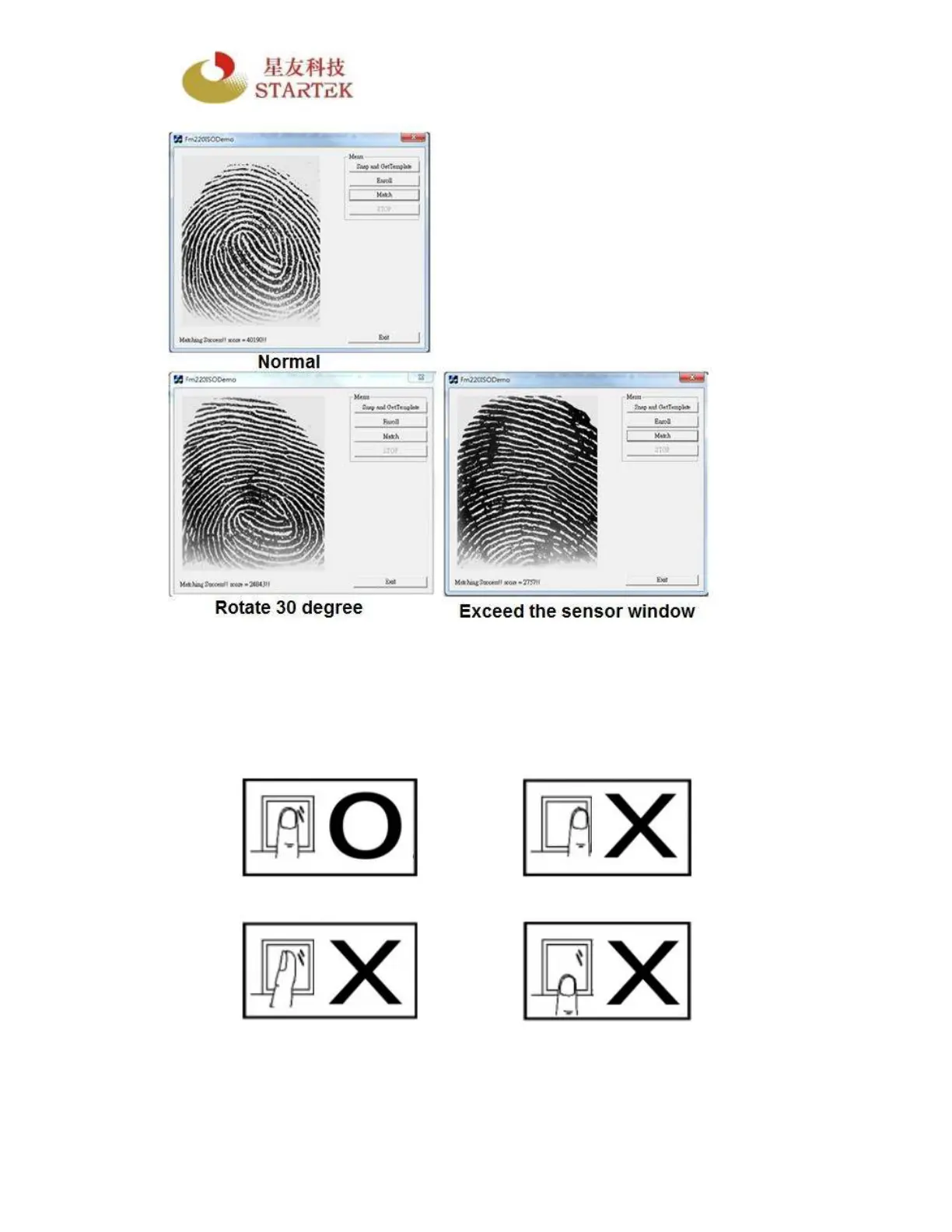
Try to match the fingerprints by rotating 30 degree on the sensor area or to
exceed the sensor area. Upon successful matching with the user’s stored
fingerprints, information is displayed with a score. However, the score you get
is expected to be lower than the one you press it normally because there are
fewer minutiae points captured.



 To Next Page