FM220 User Guide Doc. FM220_Win_1.0
9
If your finger is cut or injured
As a precaution, it’s best to enroll more than one finger so that if
one finger becomes unavailable for authentication, you will have
an alternate finger to use. Most biometric applications provide the
option to enroll multiple fingers. If your application features a
password or PIN back-up, you can use this feature in case no
finger or fingerprint device is available.
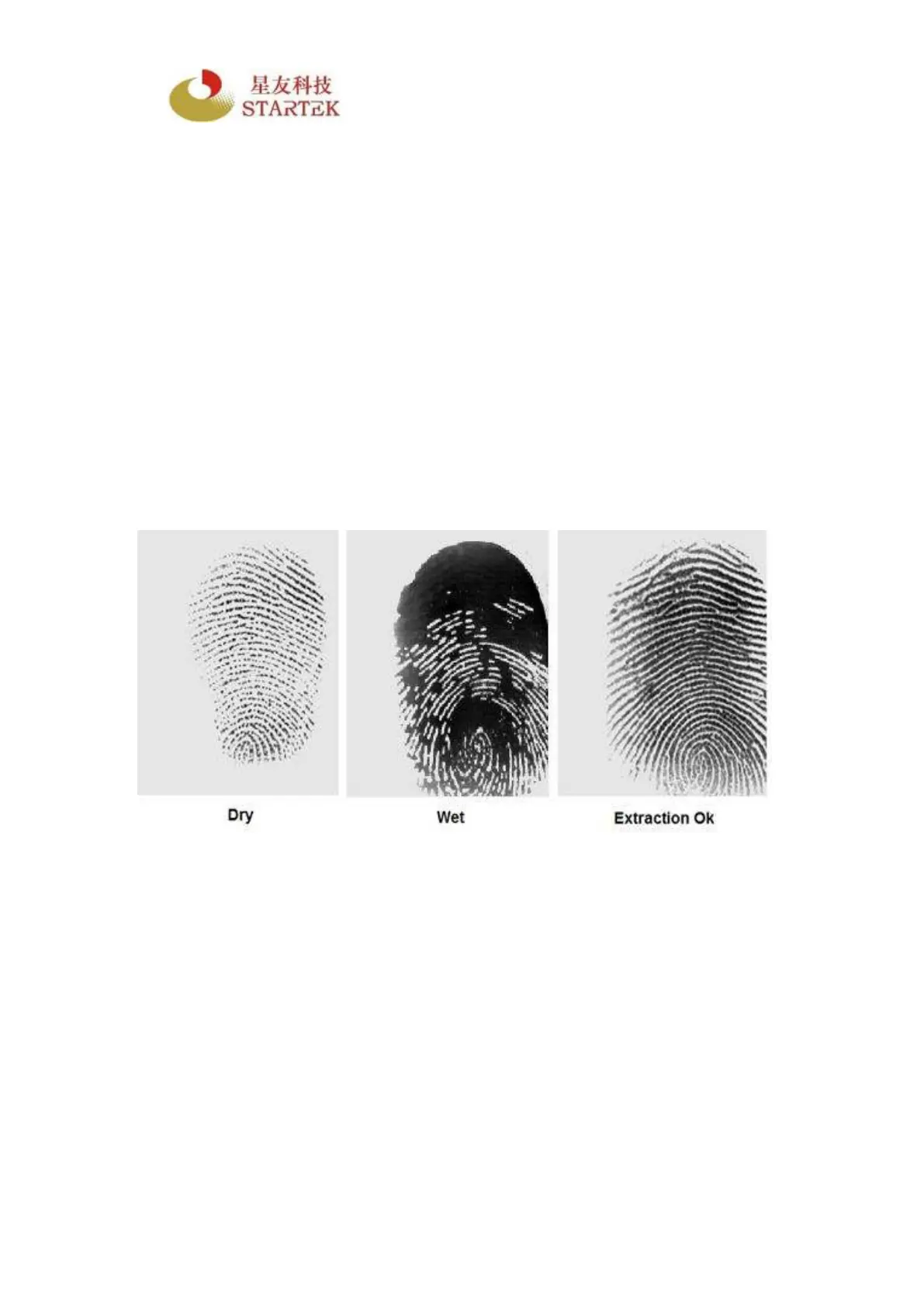
Problematic fingerprints
By following the above guidelines, you should be able to get
consistently good results. Sometimes, however, certain skin
conditions or environments may cause poor fingerprint images.
Damp skin may cause fingerprints that are too dark or smudged,
but can be remedied by wiping fingers before input. If your finger
is extremely dry, you can safely use a moisturizing lotion before
input.
Do not place your finger too slowly or too softly
The sensor might not detect your finger when it’s placed too slowly
or too softly on the reader.



 To Next Page