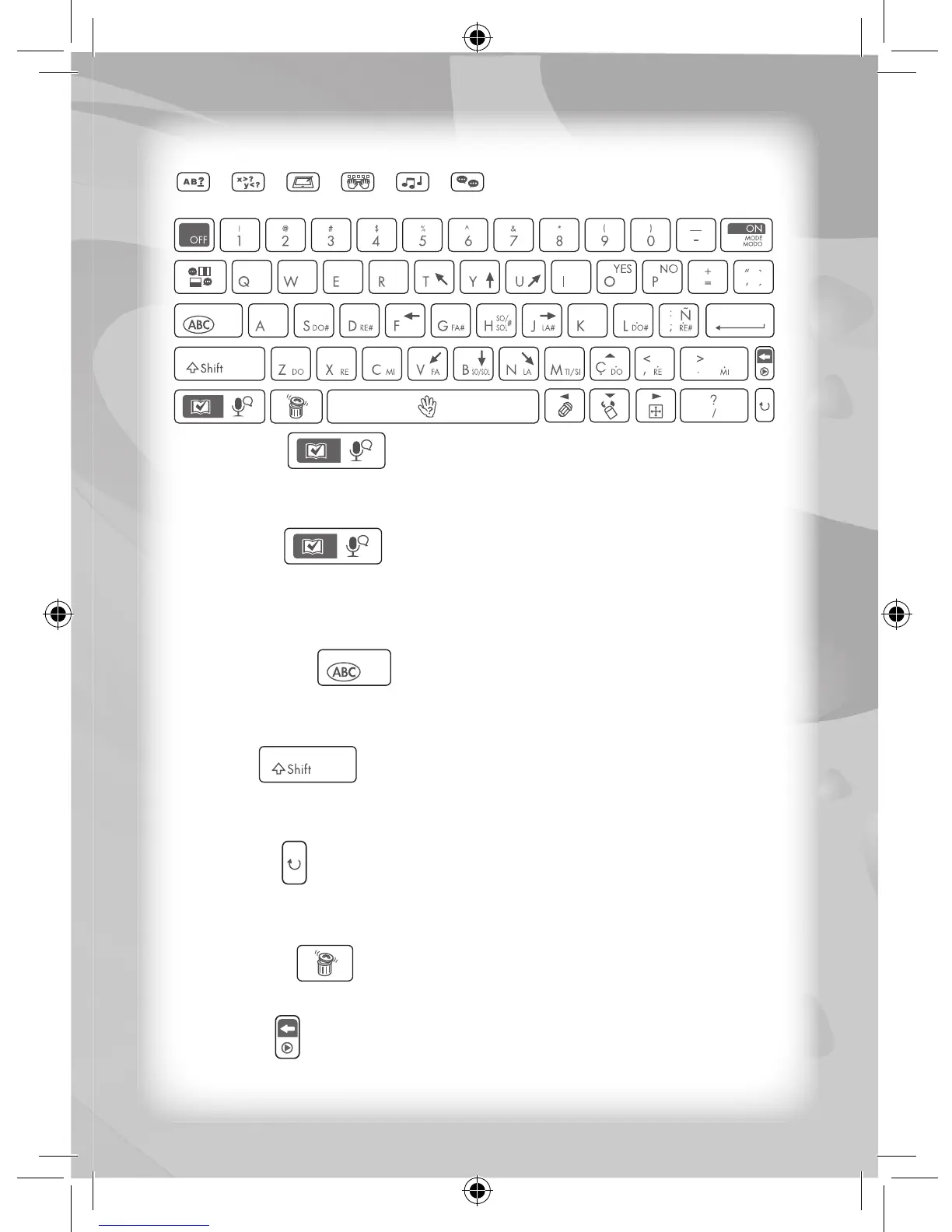
Keyboard Layout
Answer key
Press this key to view the answer of a question within an activity.
Zero points will be awarded when this key is used.
Record key
When this key is used in Activity 1 (“M1”) you can record your text
message, in Activity 3 (“M3”) you can record your melody, and in
Activity 20 (“M20”) you can record a drawing.
Caps Lock key
Press this key once to type in upper case letters. Press the same
key once again to return to lower case letters.
Shift key
Hold down this key to type in upper case letters. Release this key to
return to lower case letters.
Repeat key
Press this key within most activities before the unit returns to the
“Select an Activity” display to play the same activity again.
All Clear key
Press this key to delete all the typed text displayed on-screen.
Delete key
Press this key to delete one letter at a time of any typed text.



 To Next Page