13
TROUBLESHOOTING
If you are having problems with your appliance, please use our troubleshooting guide below. If you
are unable to resolve the issue using this guide please ring our Customer Service Department on
0844 848 5861. Please have the model code and purchase information available.
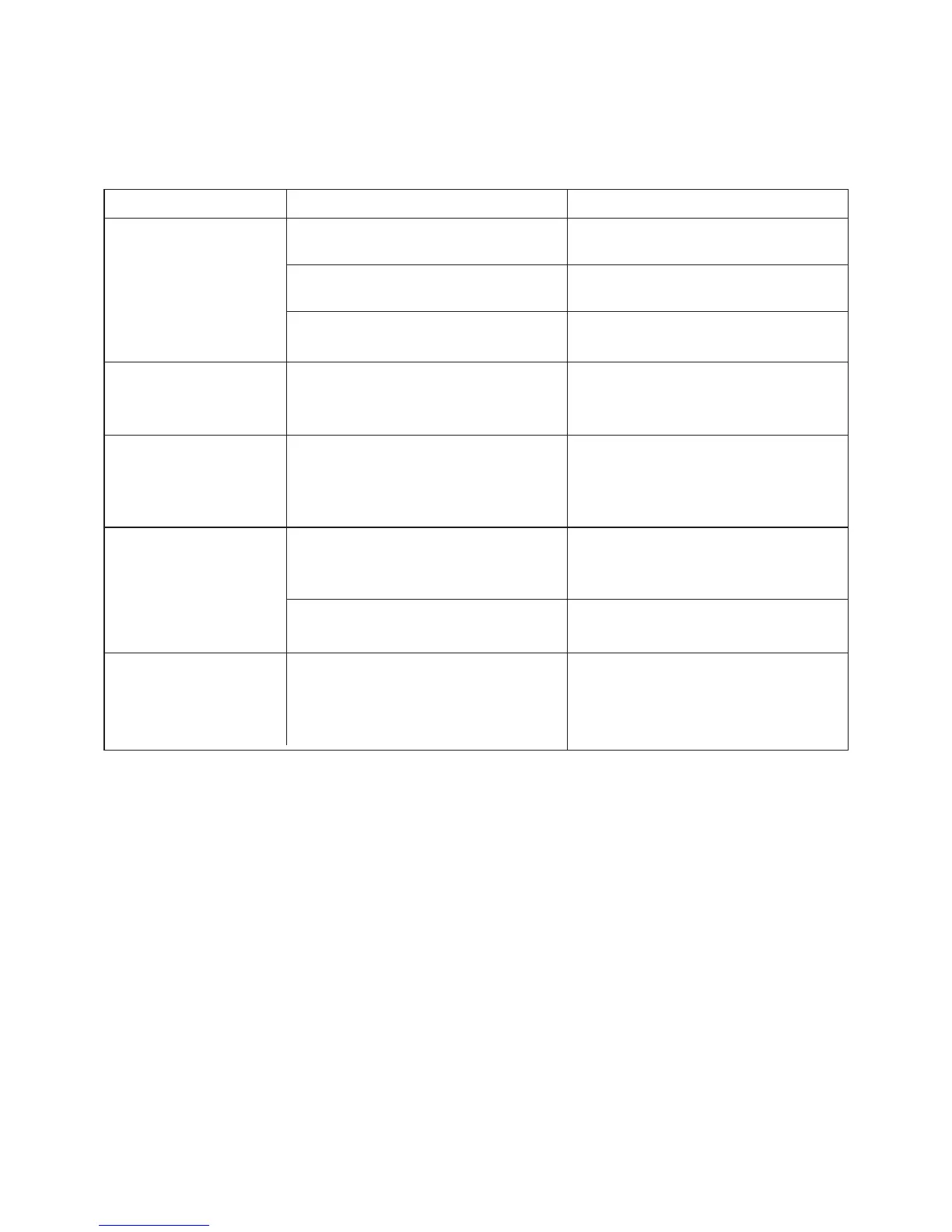
The cooktop
cannot be turned
on.
Check that the mains power
supply is switched on.
Power cut.
Check with your neighbours that
there hasn’t been a power cut.
Fuse box tripped.
Check that the fuse box hasn’t
tripped.
The controls are locked.
There may be a slight lm of water
over the controls or you may be
using the tip of your nger when
touching the controls.
Make sure the touch control area
is dry and use the ball of your
nger when touching the controls.
Rough-edged cookware. Check all your cookware has at
and smooth bases see ‘Choosing
the Correct Cookware’.
Unsuitable, abrasive scourers or
cleaning products being used.
See ‘Cleaning and
Maintenance’.
Switch on at the mains power
supply.
Fault Possible cause Solution
The touch controls
are unresponsive.
Unlock the controls. See section
‘Locking the Controls’ for
instructions.
The touch controls
are dicult to
operate.
The glass is being
scratched.
Some pans make
crackling or clicking
noises.
This may be caused by the
construction of your cookware
(layers of dierent metals vibrating
dierently).
This is normal for cookware and
does not indicate a fault.



 To Next Page