EasyManua.ls Logo

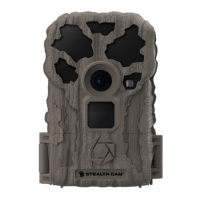
Stealth Cam STC-BT14 - User Manual

Stealth Cam STC-BT14
14 pages
Print Icon
To Next Page IconTo Next Page
Loading...
Page 1
STC-BT14
Instruction Manual
R0
Question and Answer IconNeed help?

Do you have a question about the Stealth Cam STC-BT14 and is the answer not in the manual?

Summary

About Your Camera

Quick Setup Guide

Camera Overview

Camera Setup

Battery Installation

To remove batteries from unit, simply open camera and slide the battery release switch to the left.

SD Card Installation

SD card slot is located on the bottom of the camera, above the battery compartment. Insert SD card with the label facing back of camera.

Camera Configuration

Quick Sets

Once selected, the screen will display the Quick Set (QSET) that has been chosen and then count down from 9 to 0 seconds.

Custom Configuration

Allows you to customize every setting to fit your exact needs. Use Up/Down arrows to scroll and Enter to change.

Configuration Settings

Details on DATE, TIME, OPERATION MODE, PIR DELAY, PHOTO BURST, RESOLUTION, and VIDEO LENGTH settings.

Viewing and Deleting Images

Frequently Asked Questions

Camera Care

Operating Conditions

Designed to function in 14°F – 104°F (-10°C - 40°C) 20%-85% relative humidity, non-condensing.

Product Care

Store camera in a cool, dust-free environment. Handle with care. Do not submerge. Use same type of batteries.

FCC Compliance

Limited Warranty Information

Summary

About Your Camera

Quick Setup Guide

Camera Overview

Camera Setup

Battery Installation

To remove batteries from unit, simply open camera and slide the battery release switch to the left.

SD Card Installation

SD card slot is located on the bottom of the camera, above the battery compartment. Insert SD card with the label facing back of camera.

Camera Configuration

Quick Sets

Once selected, the screen will display the Quick Set (QSET) that has been chosen and then count down from 9 to 0 seconds.

Custom Configuration

Allows you to customize every setting to fit your exact needs. Use Up/Down arrows to scroll and Enter to change.

Configuration Settings

Details on DATE, TIME, OPERATION MODE, PIR DELAY, PHOTO BURST, RESOLUTION, and VIDEO LENGTH settings.

Viewing and Deleting Images

Frequently Asked Questions

Camera Care

Operating Conditions

Designed to function in 14°F – 104°F (-10°C - 40°C) 20%-85% relative humidity, non-condensing.

Product Care

Store camera in a cool, dust-free environment. Handle with care. Do not submerge. Use same type of batteries.

FCC Compliance

Limited Warranty Information

Stealth Cam STC-BT14 Specifications

General IconGeneral
BrandStealth Cam
ModelSTC-BT14
CategoryScouting Camera
LanguageEnglish

Related product manuals