EasyManua.ls Logo

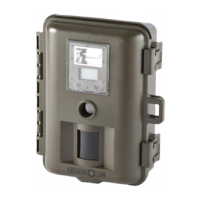
Stealth Cam STC-WD1 - User Manual

Stealth Cam STC-WD1
40 pages
Print Icon
To Next Page IconTo Next Page
Loading...
Stealth Cam
STC-WD1
User’s Manual
Toll Free Customer Support 1-877-269-8490
www.stealthcam.net
Version 1.6 08/05
Question and Answer IconNeed help?

Do you have a question about the Stealth Cam STC-WD1 and is the answer not in the manual?

Summary

Warranty Information

Stealth Cam Limited Warranty

Details the warranty coverage for parts and labor, exclusions, and voiding conditions.

Installation and Setup

Battery and Memory Installation

Instructions for installing batteries and memory cards for camera operation.

Camera Operation

Mounting the Camera

Recommendations for mounting height, angle, and avoiding sun placement for optimal performance.

Testing Camera Coverage Area

Guide on how to test the camera's detection range and adjust its position.

PIR Detection Mode Operation

Instructions on how to use the camera once it's mounted and set up for PIR detection.

Viewing and Managing Images

Viewing Images by Computer Download

Information on connecting the camera to a PC for image transfer, noting plug-and-play compatibility.

Software Installation

Detailed steps for installing the camera's software driver and Ulead Photo Explorer on a PC.

Viewing Images via Computer

Steps to view images on a computer after software installation, connecting via USB.

General Information and Precautions

Battery and Service Precautions

Important warnings about mixing batteries, unauthorized service, and handling the electronic device.

Summary

Warranty Information

Stealth Cam Limited Warranty

Details the warranty coverage for parts and labor, exclusions, and voiding conditions.

Installation and Setup

Battery and Memory Installation

Instructions for installing batteries and memory cards for camera operation.

Camera Operation

Mounting the Camera

Recommendations for mounting height, angle, and avoiding sun placement for optimal performance.

Testing Camera Coverage Area

Guide on how to test the camera's detection range and adjust its position.

PIR Detection Mode Operation

Instructions on how to use the camera once it's mounted and set up for PIR detection.

Viewing and Managing Images

Viewing Images by Computer Download

Information on connecting the camera to a PC for image transfer, noting plug-and-play compatibility.

Software Installation

Detailed steps for installing the camera's software driver and Ulead Photo Explorer on a PC.

Viewing Images via Computer

Steps to view images on a computer after software installation, connecting via USB.

General Information and Precautions

Battery and Service Precautions

Important warnings about mixing batteries, unauthorized service, and handling the electronic device.

Stealth Cam STC-WD1 Specifications

General IconGeneral
Megapixels12 MP
Trigger Speed0.5 seconds
Detection Range80 feet
IR Flash Range80 feet
Battery Type8 AA batteries
StorageSD card up to 32 GB
Video LengthUp to 30 seconds
Flash TypeInfrared
Operating Temperature140°F

Related product manuals