9
10
1
2
3
4
5
6
Fig.1
8
7
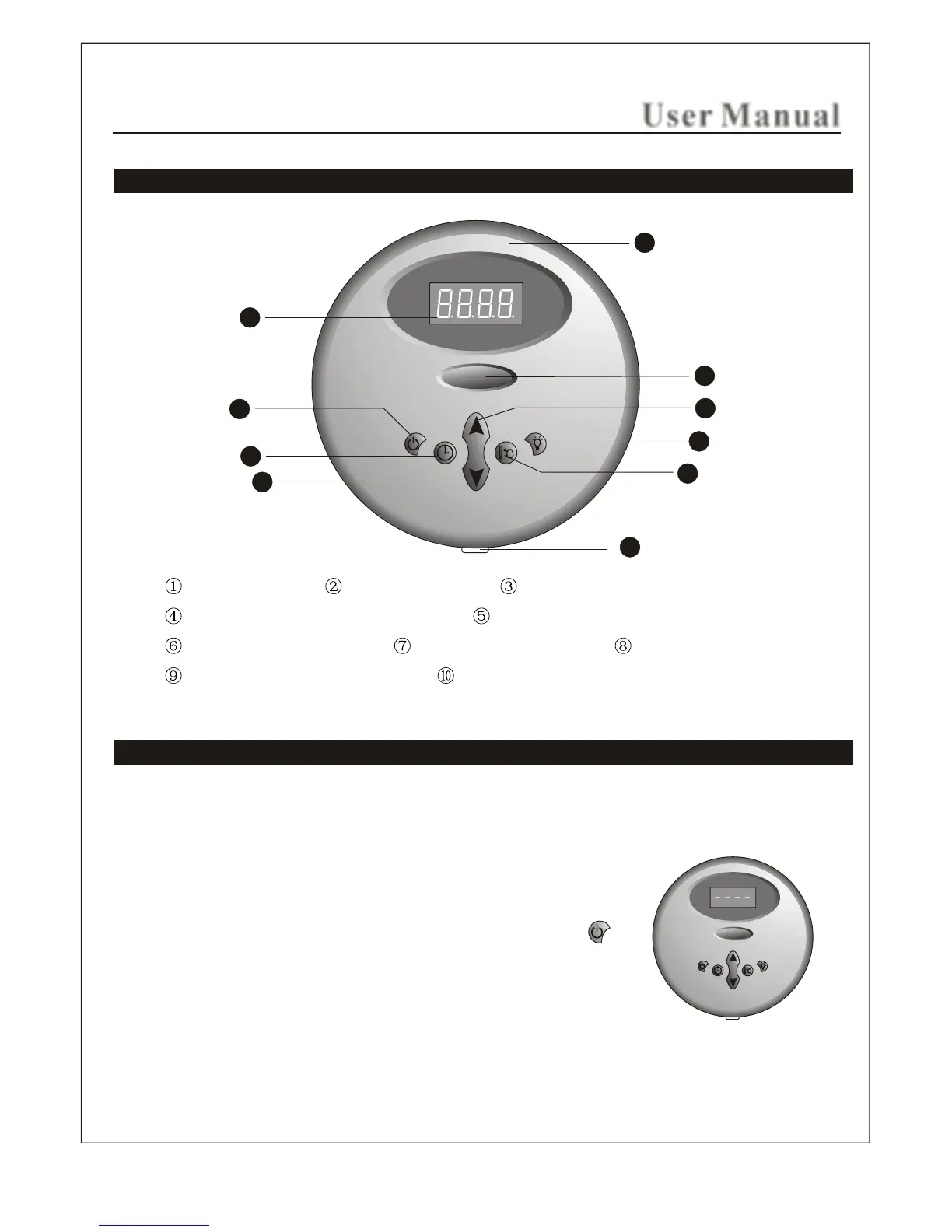
Illustration of the controller panel Control Panel
Power switch Time set button Time/temperature decrease button
Time/temperature increase button Light function button
Temperature set button Digital display screen Steamcore
The front decorative panel Temperature sensor
Operation instruction
The controller is digital temperature control system which can start, stop or pause in the
preset time to keep the temperature in the set number.
ON/OFF
When it is electrified, the system shuts off all the loads to
remain in a waiting state, and the digital tube will display ----
(as is shown in Fig.1). In the waiting state,press button to
turn on the system and the steam function. The default time of
starting the steam is 30 minutes and it begins to count down
and the default temperature of the steam is 110F. After the
system is started, the digital tube will display the current
temperature of the environment and the temperature check
range is
User Manual
IN SHOWER USE ONLY
50F - 110F.
(SSII & SQII)
(SSII & SQII Control Panel)
21


 To Next Page