EasyManua.ls Logo

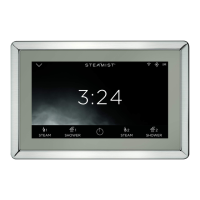
Steamist Total Sense TSC-550 - User Manual

Steamist Total Sense TSC-550
12 pages
Print Icon
To Next Page IconTo Next Page
Loading...
®
RELA X. REST O R E . R ENE W .
Intro - Page 1
System and Display Settings - Pages 2, 3 & 9
*Wi-Fi Settings - Page 3
Firmware Update and Language Settings - Page 4
Clock Settings - Page 4
Steam Settings - Page 5
AudioSense Settings - Pages 6 & 10
ChromaSense Settings - Page 7
ShowerSense Settings - Pages 7 & 8
InstaMist and *Bluetooth Settings - Page 9
Device Information - Page 9
Remote Activation - Page 10
Standby Screen Settings - Page 10
Total Sense
Touch Control
MODEL TSC-550
(Product 550, 550M, SH-550 and SH-550M)
Question and Answer IconNeed help?

Do you have a question about the Steamist Total Sense TSC-550 and is the answer not in the manual?

Summary

Initial System Settings

Display Settings

Wi-Fi Settings

Firmware Update and Language Settings

Clock Settings

Steam Settings

Personal Settings

Allows customization of steam cycles and temperature.

AudioSense Settings

ChromaSense Settings

ShowerSense Settings

System Settings

InstaMist and Bluetooth Settings

Controls InstaMist preheating and Bluetooth connectivity.

Device Information

Displays system device details and troubleshooting info.

Remote Activation

Standby Screen

Steamist Total Sense TSC-550 Specifications

General IconGeneral
ModelTSC-550
Control InterfaceTouchscreen
Steam ControlYes
Steam Output ControlYes
Temperature ControlYes
TimerYes
Auto Shut-OffYes
TypeControl Panel
DisplayLCD
Aromatherapy CompatibilityYes
Chroma Therapy CompatibilityYes
Waterproof RatingIP65
InstallationWall-mounted
Warranty2 years
CompatibilityCompatible with steam generators

Related product manuals