12
Operation
∙ Never use the device without the basket. Place the food into the basket and
not into the pot.
∙ Clip the basket into the pot and slide both parte into the device. To remove the bas-
ket pull out both parte and place on a heat resistant surface. By pressing the button
on the handle, you can separate the basket from the pot.
∙ Plug in the device. It makes a peeping sound.
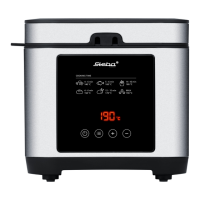
∙ Press “setting” once, the temperature flashes. With “+/-“ you can set the tempera-
ture from 50 – 200°C and confirm by pressing “setting”. The time flashes now. Set
the time with “+/-“ from 1 – 60 minutes. Start the device with “On/Off”.
∙ It is suggested to preheat the device for about 2 minutes and then add the food.
∙ By pulling out the pot from the device to control the degree of doneness, the set
program is interrupted by a safety switch. It will be continued if the pot is put into
the device again.
∙ You can change already set values during the cooking: press “setting” once and
change the temperature with “+/-“. The device continues with the new tempera-
ture and the remaining time. By pressing “setting” twice, you can change the time
with “+/-“. The device continues with the changed time and set temperature.
∙ After the time run out, the device peeps and turns off the heating. Take out the
basket and put in the pot again immediately. In order to prevent from any damages
on electronic parts the fan keeps running until a temperature of 80°C is reached.
After that the device turns off automatically.
∙ In order to achieve an even browning of the food, turn or shake the food with a
fork.
∙ The pot and basket get very hot!
Fil the basket only up to the max marking in order to avoid any burns on
the food.



 To Next Page