48
OPERATING INSTRUCTIONS
Matrix window
The Matrix Window displays the workout program you select.
Each program displays a different exercise profile. Flashing lamp
bar in the window displays your location on the exercise course.
Buttons Location
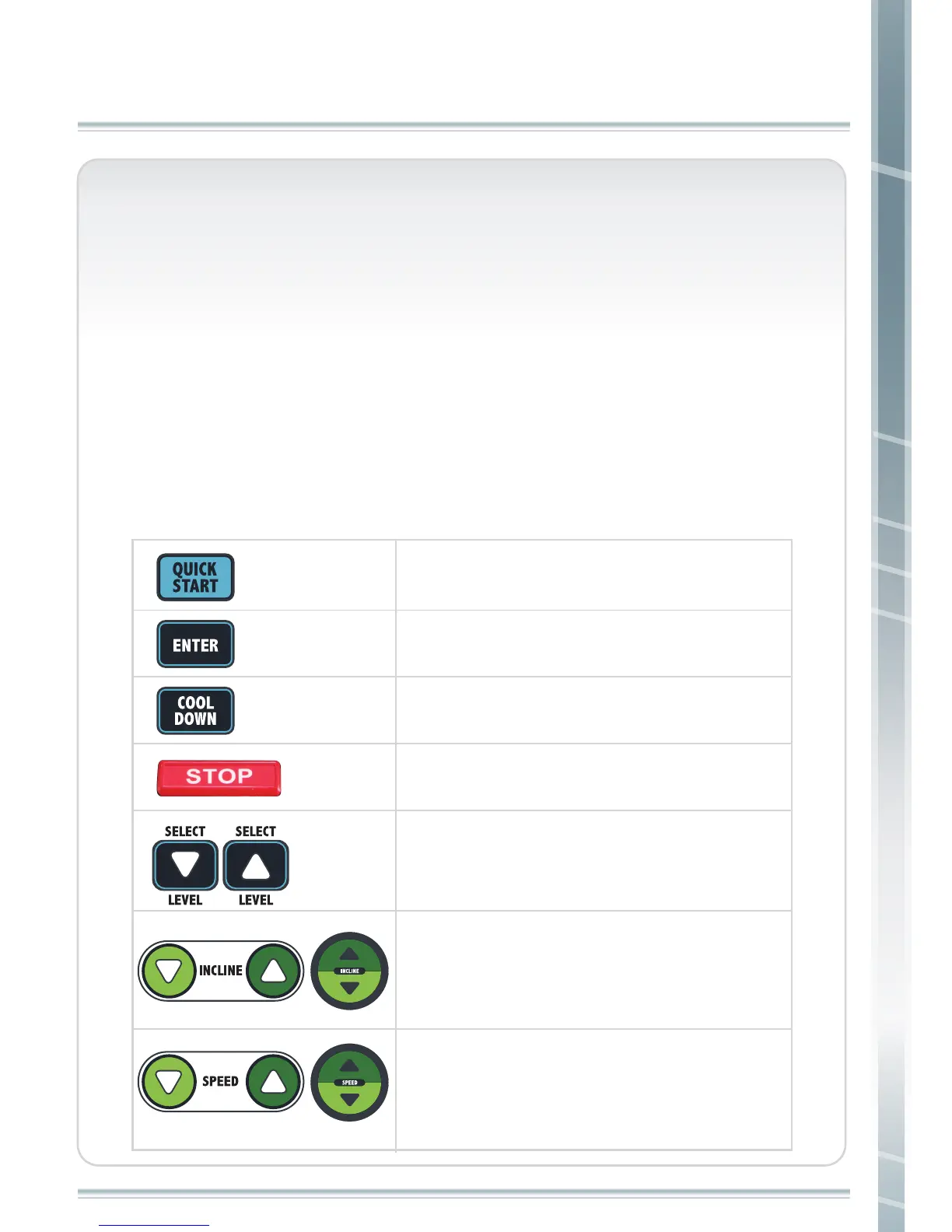
There are buttons for operating the machine, adjusting incline
level, and adjusting exercise speed. A description of each button
is listed below.
Start workout
Stop workout slowly
Enter Data
Stop workout
Adjust incline level. Every press will increase
1 level.
Press and hold the button to adjust quickly.
Adjust workout level
Adjust speed. Every press will decrease 0.1
mile.
Press and hole button to adjust in 1.0
increments.



 To Next Page