CONFIGURATION MENU
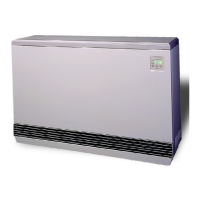
The Steffes 2100 Series room heating units have a Conguration Menu which
allows the heaters to be customized to the power company and consumer’s
needs. This menu can be accessed on start-up and allows conguration settings
to be easily adjusted.
Accessing the Conguration Menu
Step 1 Energize the heater. Access to the Conguration Menu is allowed
for the rst two (2) minutes of operation. If the heater has been
energized for over two (2) minutes, it must be powered off and
back on again.
Step 2 Press and release the M button until the faceplate displays “CONF”.
Step 3 Press the up arrow once and the faceplate will display “C000”. The display will ash between “C000”
and the corresponding conguration value.
Step 4 If necessary, edit the conguration by pressing and holding the M button while using the up or the down
arrow button to change the value.
Step 5 Once the value is correct, release the buttons and press the up arrow button to go to the next conguration
(C001, C002, etc.).
Step 6 Repeat steps 4 through 5 until all conguration settings have been adjusted to the desired values.
Step 7 Once congured, use the down arrow to leave the Conguration Menu.
In most applications only a few, if any, conguration changes will be necessary. Following is a description of the
conguration settings and their functions:
C000 Off-Peak Method of Charge Control - Sets the method of brick core charging to be used during off-peak
(charge) periods. Heater is congured for automatic charge control, which is a value of ve (5). To utilize
manual charge control, change the value to six (6).
C001 Start Brick Core Charge Set Point - If utilizing automatic charge control as set in C000, this value
indicates the outdoor temperature at which the heater will start charging.
C002 Full Brick Core Charge Set Point - If utilizing automatic charge control as set in C000, this value
indicates the outdoor temperature at which the heater will target a full core charge.
C003 Power Line Carrier (PLC) Channel Selection - If using PLC communication, this setting must match
the channel setting in the Steffes PLC transmitting device. A value of zero indicates power line carrier
communication is disabled.
C004 Optional Controls Conguration
Value Conguration Description
154 No Time Clock Module/Utilizing PLC or Manual Charge Control
155 No Time Clock Module/Direct Wired Outdoor Sensor
158 Time Clock Module/Manual Charge Control
159 Time Clock Module/Direct Wired Outdoor Sensor
C005 Control Switch Conguration - If utilizing power line carrier control, the Steffes time clock module or
line voltage control, this value should be zero. For all other applications, this value should be one (1).
C006 This conguration MUST be set to a value of six (6) for all 2100 Series room heating units.
C007 Charge Factor - This conguration should be set to a value of thirty (30).
C008-C012 Currently not utilized in 2100 Series room heating units.
C013-C021 Time Clock Module Conguration - These conguration settings are used to congure the peak
control times when utilizing the optional Steffes Time Clock Module. Refer to the installation and
conguration instructions included with the module for more information.
208V SYSTEMS ONLY:
In standard conguration, Steffes heaters are dual rated for 240V and 208V power connections. The
heaters are factory congured for 240V. If the control circuit is operating on 208V power, the value in
Location 16 (L016) must be changed to 210 and the value in Location 28 (L028) must be changed to 5.
IfaccesstoConguration
Menu times out, the system
must be powered off at the
circuit breaker and back on
to re-enter the menu.
IMPORTANT
2100 Series Installation 2.10



 To Next Page