PRODUCT BRIEF INTRODUCTION
[ 13 ]
PRODUCT BRIEF INTRODUCTION
[ 14 ]
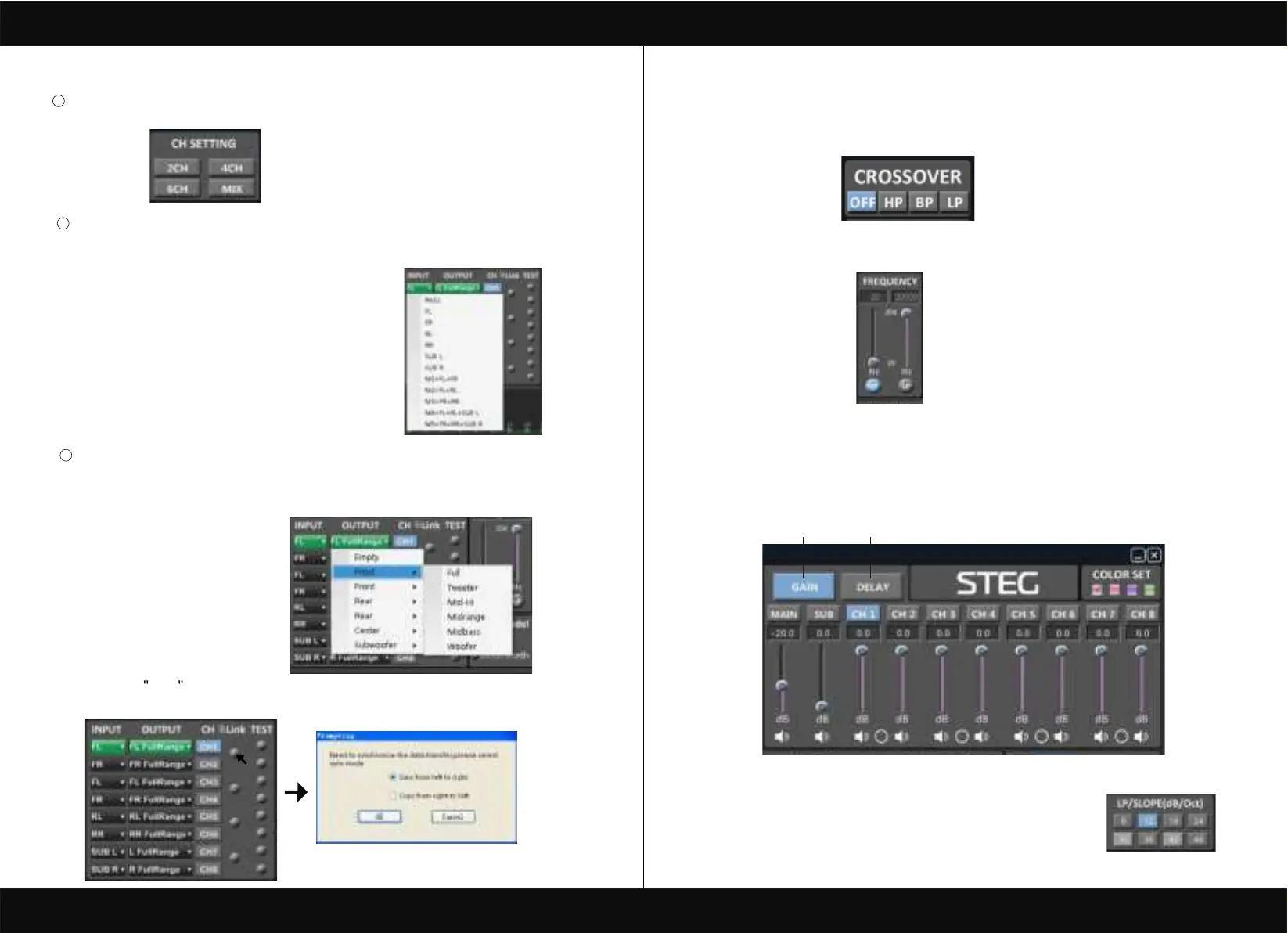
CH mode(click on the default in put state).
optional (2CH 4CH 6CH MIX).
2
4
Output channel:FL FullRange.FR FullRange.RL FullRange.RR FullRange.L FullRange
When you click the drop-down button, you can choose the stste of the channel input.
There is : Front.Rear.Center.Subwoofer and Full.Tweeter.Mid-Hi.Midrange.Midbass Woofer
R FullRange
Options on the Link are for combine setting for Left CH and Right CH .
Options on the Left CH/right CH allow you tone each selected channel respectively.
3
Input channel:FL. FR. FL. FR. RL. RR. SUB L. SUB R.
When you click the drop-down button, you can choose the stste of the channel input.
There is : FR. FL. RR. RL. SUB R. SUBL.M1=FL+FR.M2=FL+RL.M3=FR+RR.
M4=FL+RL+SUBL.M5=FR+RR+FUBR.
4. CROSSOVER X-TPE.
To choose different crossover type, for example select CH selection on 3RD
spot .that would locate CH you want to choose for crossover configuration .
5. CROSSOVER FREQUENCY.
Set frequency of LP/HP individually .
6. GAIN.
0--40dB is optional range for gain control kf every CH.
7. DELAY.
1.Auto configuration(base on 1.5 setting).
2.Manual configuration, change specifications in selected CH manually.
6
7
8. LP/SLOPE.
1.6dB/oct 12dB/oct 18dB/oct 24dB/oct 30dB/oct 36dB/oct.
42dB/oct 48dB/oct are available.



 To Next Page