Stopping cleaning
The device stops cleaning automatically as soon as the set runtime has expired; all LEDs of the
cleaning type and running time indicators start to blink.
To stop cleaning before the set running time has expired, deactivate the control unit
by pressing the
ON/OFF button.
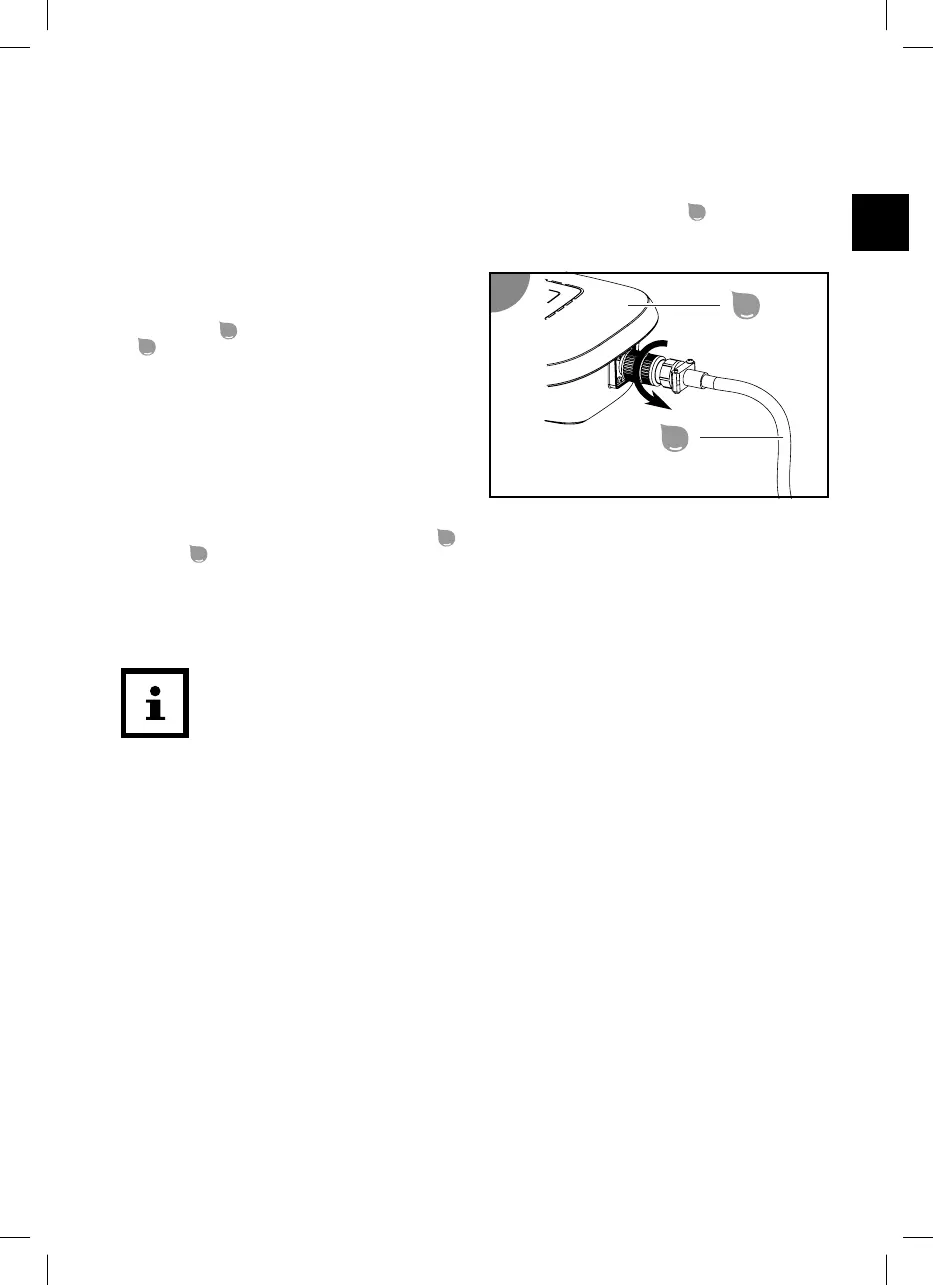
Disconnecting the control unit
1. Disconnect the power plug from the
grounded socket.
2. Undo the screw fitting of the plug on the
control unit
and pull of the floating cable
.
The control unit is disconnected.
Lifting the device out of the pool
1. Slowly pull the device by the floating cable
towards the water surface until you can reach the
handle
.
2. Slowly lift the device out of the water and hold it above the water surface.
After 10 to 15 seconds, most of the water that has collected in the housing has drained back into
the pool.
3. Set down the device next to the pool.
The device is lifted out of the pool.
Clean the device after each use to ensure continued trouble-free operation.
Cleaning
Only clean the device with a standard bathroom cleaner, clear tap water and a lint-free cloth. Aggressive
cleaning agents can damage the device. Dry the product with a lint-free cloth.
Cleaning the device
1. Remove and clean the filter units.
2. Rinse the device and the floating cable after each use with plain tap water inside and out.
The device is clean.
39


 To Next Page
 Loading...