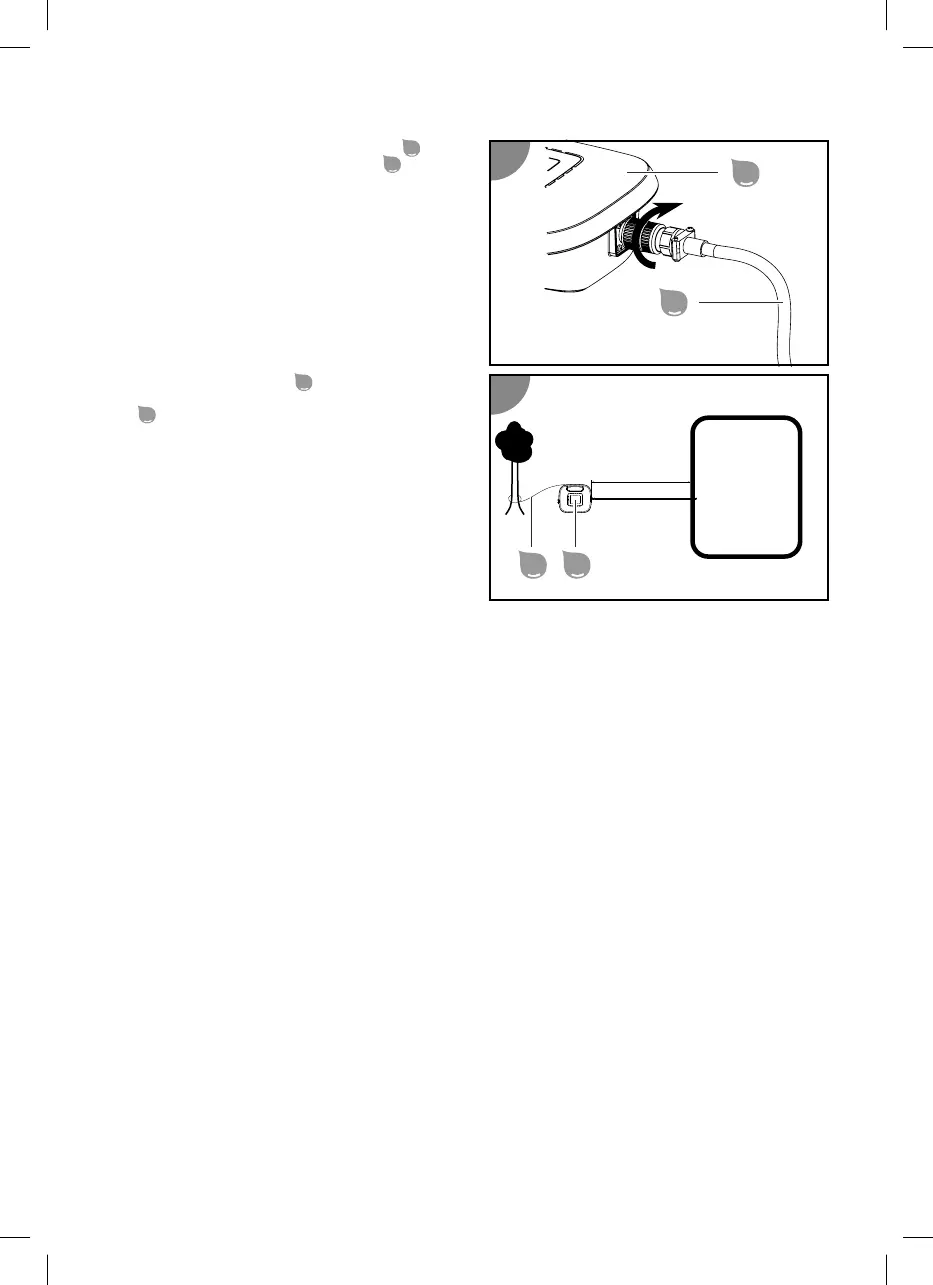
2. Connect the plug of the floating cable
in
the right position to the control unit
and
screw the connection together.
3. Attach the control unit
at a distance of at
least A=3.5 m to the pool with the safety rope
so that it cannot be pulled into the water.
4. Connect the power plug to a grounded socket.
The control unit is connected.
Starting cleaning
1. Press the AUTOSTART button on the control unit.
The indicator shows the setting of the last selected autostart function. All LEDs of the autostart
function blink if periodical cleaning has not been selected.
2. Select your desired autostart function by pressing the AUTOSTART button.
3. Press the ON/OFF button on the control unit.
Adapt the cleaning time to your pool size if necessary.
Cleaning has started, the indicator indicates the settings of the last selected cleaning program and the
battery runtime LED starts to blink.
Switching off the device
Proceed as follows to switch off the device:
1. Switch off the device after the end of the cleaning program.
2. Disconnect the control unit from the power supply and the device.
3. Lift the device out of the pool.
4. Clean the filter units and the device.
5. If you use the autostart function, place the device in the pool again and connect the control unit to
the power supply.
Stopping cleaning
Cleaning stops automatically once the set running time has expired.
All cleaning time LEDs blink.
Terminating the cleaning early
1. Press the ON/OFF button.
The control unit is switched off, all LEDs are off.
30


 To Next Page
 Loading...