Panel Controls and Terminals
UR12 Operation Manual 7
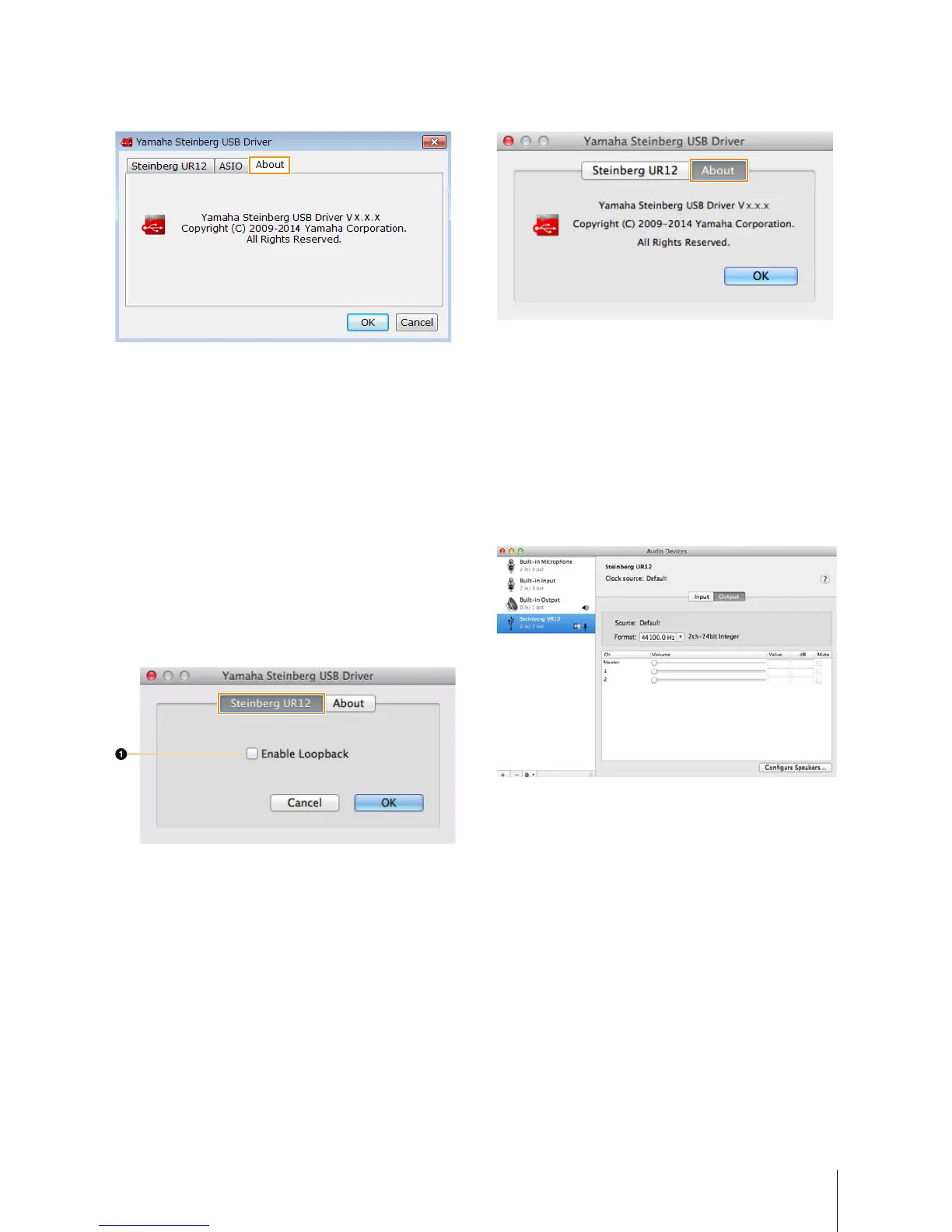
About Window
Indicates the version and copyright of the audio driver.
Configuring the Yamaha Steinberg
USB Driver (Mac)
How to Open the Window
• Select [System Preferences] [Yamaha Steinberg USB].
• From the Cubase series menu, select [Devices]
[Device Setup...] [Steinberg UR12] [Control Panel]
[Open Config App].
Steinberg UR12 Window
For selecting the Loopback settings.
1 Enable Loopback
Use the check box to turn Loopback on/off.
About Window
Indicates the version and copyright of the audio driver.
How to Select the Sample rate (Mac)
You can select the sample rate in [Audio MIDI Setup]
window.
How to Open the Window
Select [Applications] [Utilities] [Audio MIDI Setup].
Select the sample rate from [Format] menu.


 To Next Page