Panel Controls and Terminals
UR12 Operation Manual 8
How to Select the Buffer Size (Mac)
You can select the buffer size in the settings window for
each application (DAW software, etc.).
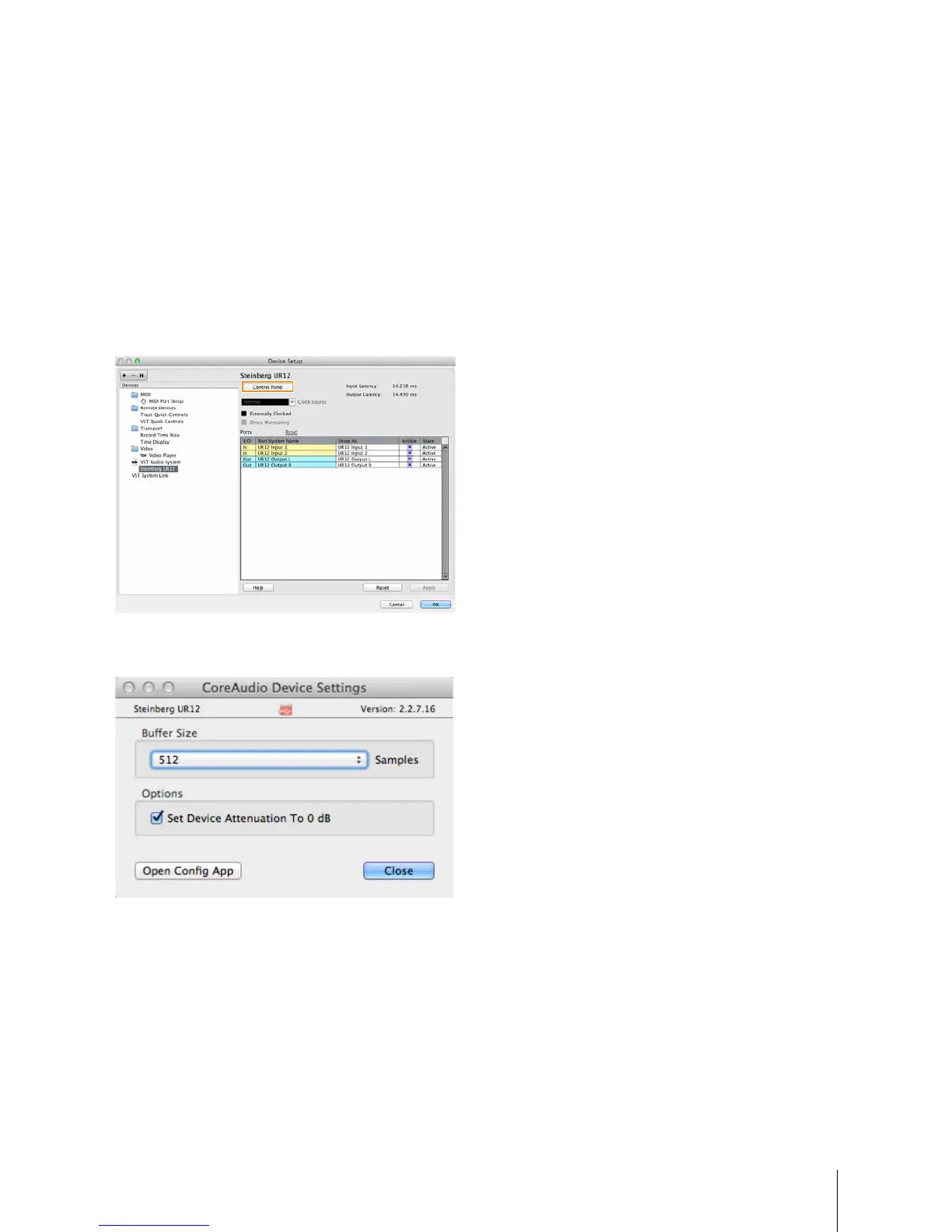
How to Open the Window
From the Cubase series menu, select [Devices] [Device
Setup...].
NOTE
Themethodforopeningthesettingswindowisdifferentfor
eachapplication.
Click [Control Panel] in [Steinberg UR12] in the menu on
the left side of the window.
The window for selecting the buffer size appears.


 To Next Page