Using the UR242
UR242 Operation Manual 24
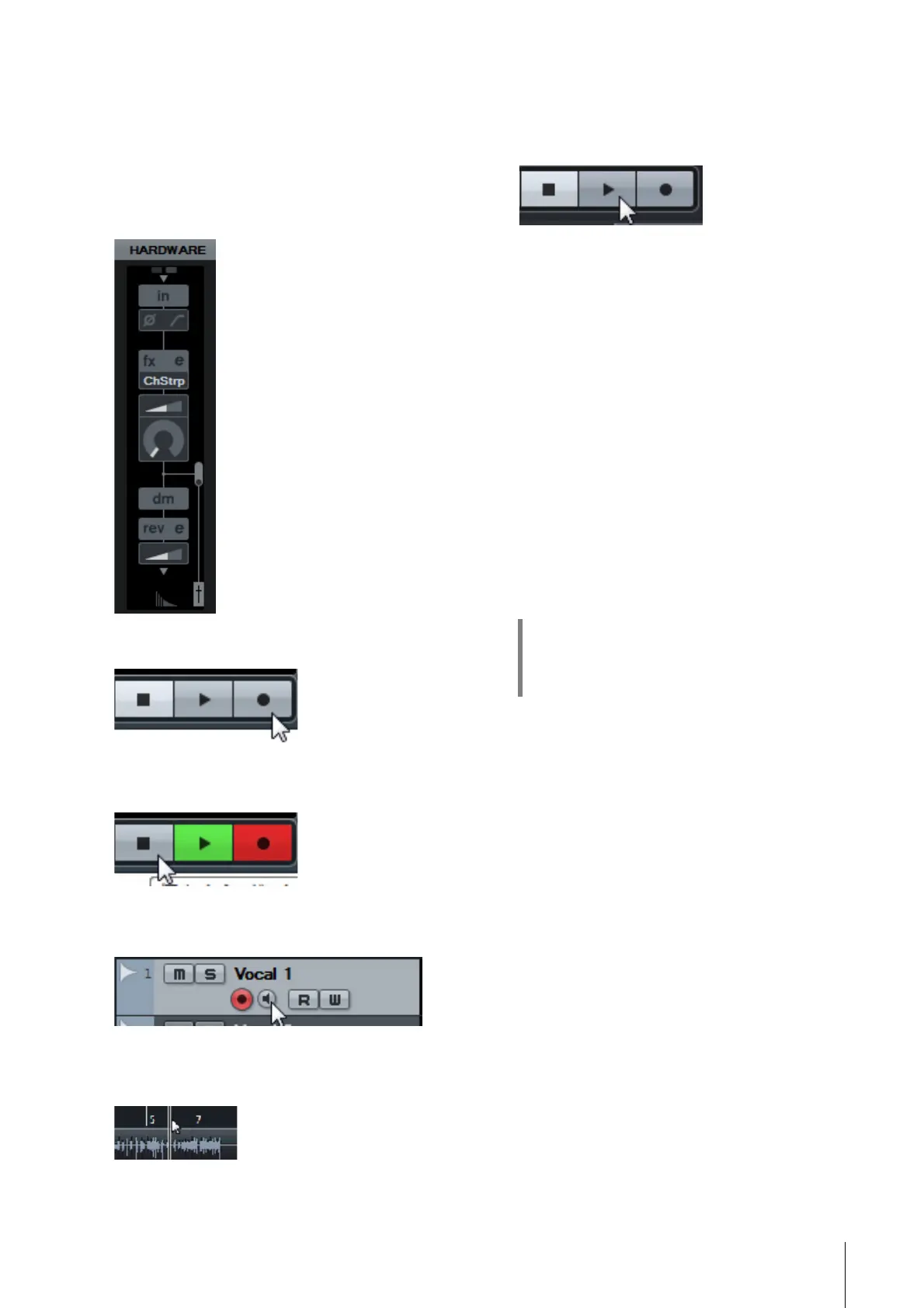
7. Set the Channel Strip settings and REV-X
settings on the Input Settings window.
Select the Channel Strip Insertion location depending
on the desired insert point. The default setting is
“Lower” (applied to both the monitor signal and the
recording signal). For details on the Insertion location,
refer to the “Effect Insertion location”(page 15) in the
section “Dedicated Windows for Cubase Series.”
8. Click [] to start the recording.
9. After finishing the recording, click [] to
stop it.
10. Turn [Monitor] off (dark) for the just-
recorded audio track.
11. Click the Ruler to move the project cursor to
the desired point for starting playback.
12. Click [] to check the recorded sound.
When listening to the sound over monitor speakers,
adjust the output signal level by the [OUTPUT] knob on
the device.
The recording and playback operations are now complete.
For more detailed instructions on using Cubase series
programs, refer to the PDF manual, available from [Help] in
the Cubase series menu.
Programs Other Than Cubase Series
1. Launch your DAW software.
2. Open dspMixFx UR242.
For instructions on how to open dspMixFx UR242, refer
to the section “How to Open the Window” (page 8).
3. Adjust the input signal level of the
microphone with the [INPUT GAIN] knob on
the device.
4. While singing into the microphone, adjust
the output signal level of the headphones
with the [PHONES] knob on the device.
5. Set the Channel Strip settings and REV-X
settings on dspMixFx UR242.
6. Start recording on your DAW software.
7. After finishing recording, stop it.
8. Playback the newly recorded sound to
check it.
For more detailed instructions on using the DAW software,
refer to your particular DAW’s software manual.
HINT
Setting optimum recording levels
Adjust the gain knobs so that the [PEAK] indicator
flashes briefly at the loudest input volume.


 To Next Page