Using the UR242
UR242 Operation Manual 23
Configuring Audio Driver Settings
on the DAW Software
Cubase Series Programs
1. Make sure that all applications have been
closed.
2. Make sure that the [ ] switch has been
turned on (
O).
3. Launch the Cubase series DAW.
4. When the [ASIO Driver Setup] window
appears while the Cubase series program is
launching, confirm that the device is
selected, then click [OK].
The audio driver settings are now complete.
Programs other than Cubase Series
1. Make sure that all applications have been
closed.
2. Make sure that the [ ] switch has been
turned on (
O).
3. Launch the DAW software.
4. Open the audio interface settings window.
5. (Windows only) Select the ASIO Driver for
the audio driver settings.
6. Set the ASIO Driver for Windows and audio
interface for Mac as follows.
Windows
Set the ASIO Driver settings to [Yamaha Steinberg USB
ASIO].
Mac
Set the UR242 to the appropriate audio interface
settings.
The audio driver settings are now complete.
Recording/Playback
Connect a microphone as shown in the connection
examples (page 22). Turn the [+48V] switch on when using
a phantom powered condenser microphone.
Cubase Series Programs
1. Launch the Cubase series DAW.
The [steinberg hub] window appears.
2. Select the project template [Steinberg
UR242 Vocal-Inst Recording 1-C7] in
[Recording] on the [steinberg hub] window,
then click [Create].
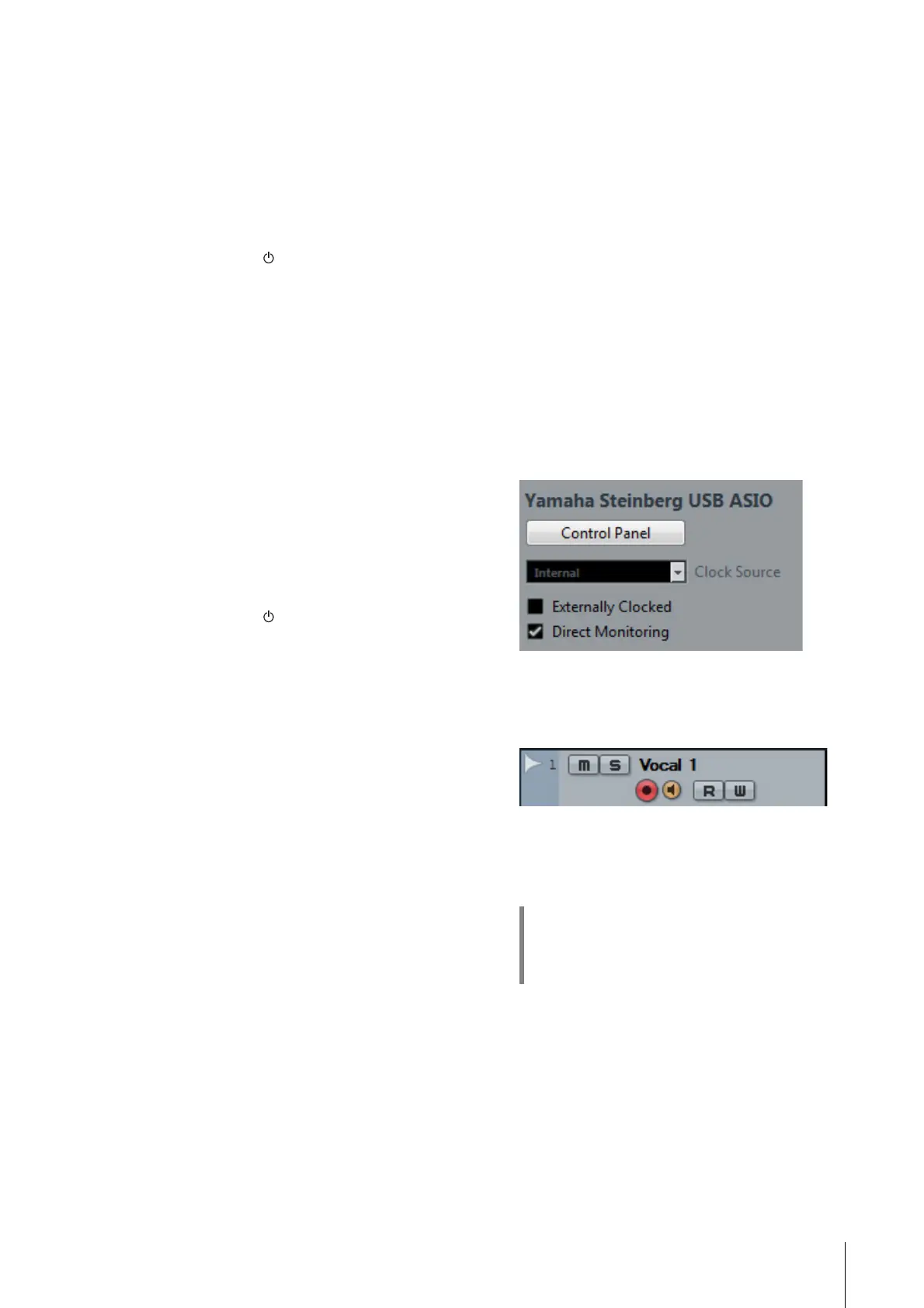
3. Turn on Direct Monitoring as follows.
[Devices] [Device Setup] [Yamaha Steinberg
USB ASIO] (Windows) or [Steinberg UR242] (Mac)
enter checkmark to [Direct Monitoring] [OK]
4. Confirm that the [Record Enable] and
[Monitor] indicators are turned on (lit) for the
audio track.
5. Adjust the input signal level of the
microphone with the [INPUT GAIN] knob on
the device.
6. While singing into the microphone, adjust
the output signal level of the headphones
with the [PHONES] knob on the device.
HINT
Setting optimum recording levels
Adjust the gain knobs so that the [PEAK] indicator
flashes briefly at the loudest input volume.


 To Next Page