Panel Controls and Terminals
UR242 Operation Manual 4
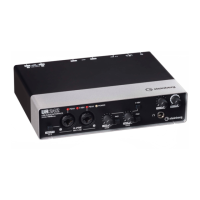
9 [+48V] switch
Turns the phantom power on (O) and off (N). When you
turn this switch on, phantom power will be supplied to
the [MIC/LINE 1/2] jack. Turn this switch on when using
a phantom powered condenser microphone.
Phantom Power Precautions
) [PHONES] knob
Adjusts the output signal level of the [PHONES] jack.
! [OUTPUT] knob
Adjusts the output signal level of the [LINE OUTPUT]
jacks.
@ [PHONES ] jack
For connecting a set of headphones.
NOTICE
Always turn the phantom power switch to OFF when
it is not required.
When using phantom power, observe the following
to prevent noise and possible damage to UR242 or
connected equipment.
• When connecting devices not requiring phantom
power to the [MIC/LINE 1/2] jack, make sure to turn
the phantom power switch to OFF.
• Set all output level controls to the minimum before
turning the phantom power switch to ON or OFF.
• Do not connect or disconnect any devices while
the phantom power switch is turned to ON.


 To Next Page