ENGLISH
ENGLISH-4
1
2
3
4
5
6
7
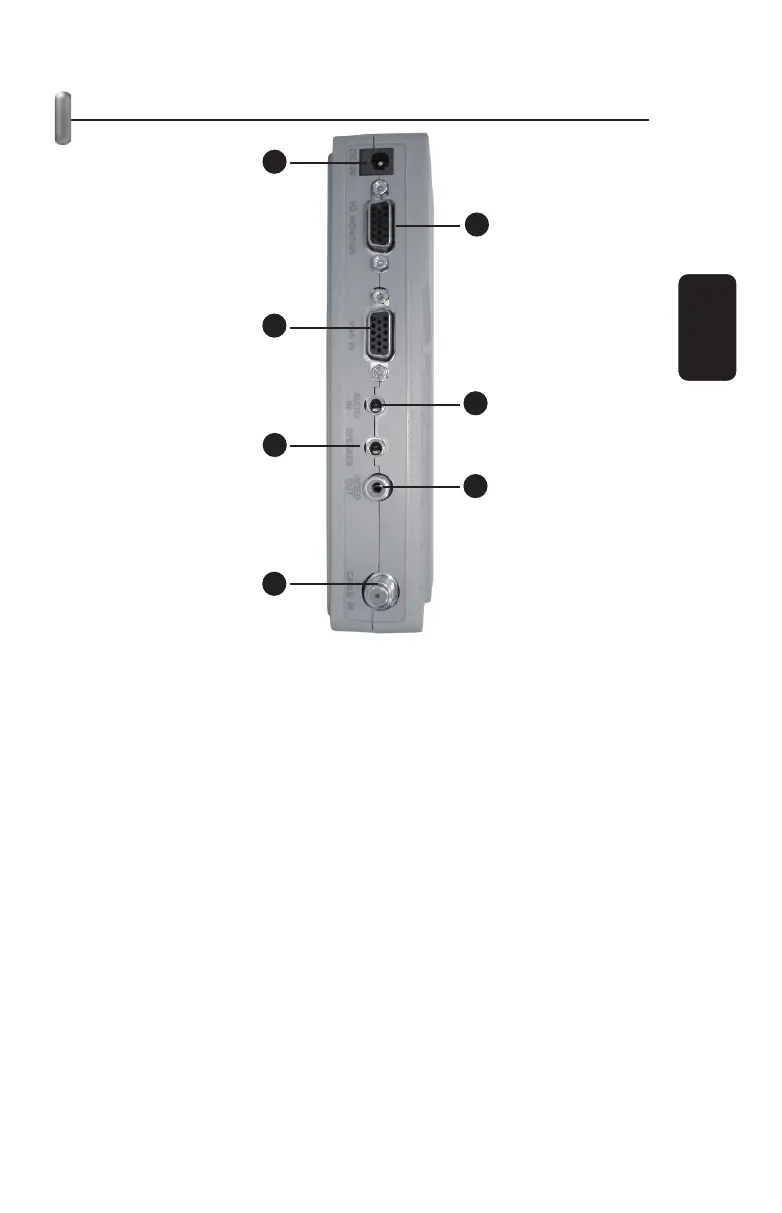
PARTS IDENTIFICATION
1.- Power adapter
Use to plug the supplied AC power adapter
2.- VGA output
Use to connect e VGA cable to a monitor
3.- VGA input
Connect a VGA cable from a monitor
4.- Audio input
Allows you to connect a 3,5mm from a computer’s audio card
5.- Speaker
Use to connect a speaker
6.- Video output
Connect a monitor through a RCA cable
7.- Antenna
Connect an antenna through a coaxial cable



 To Next Page