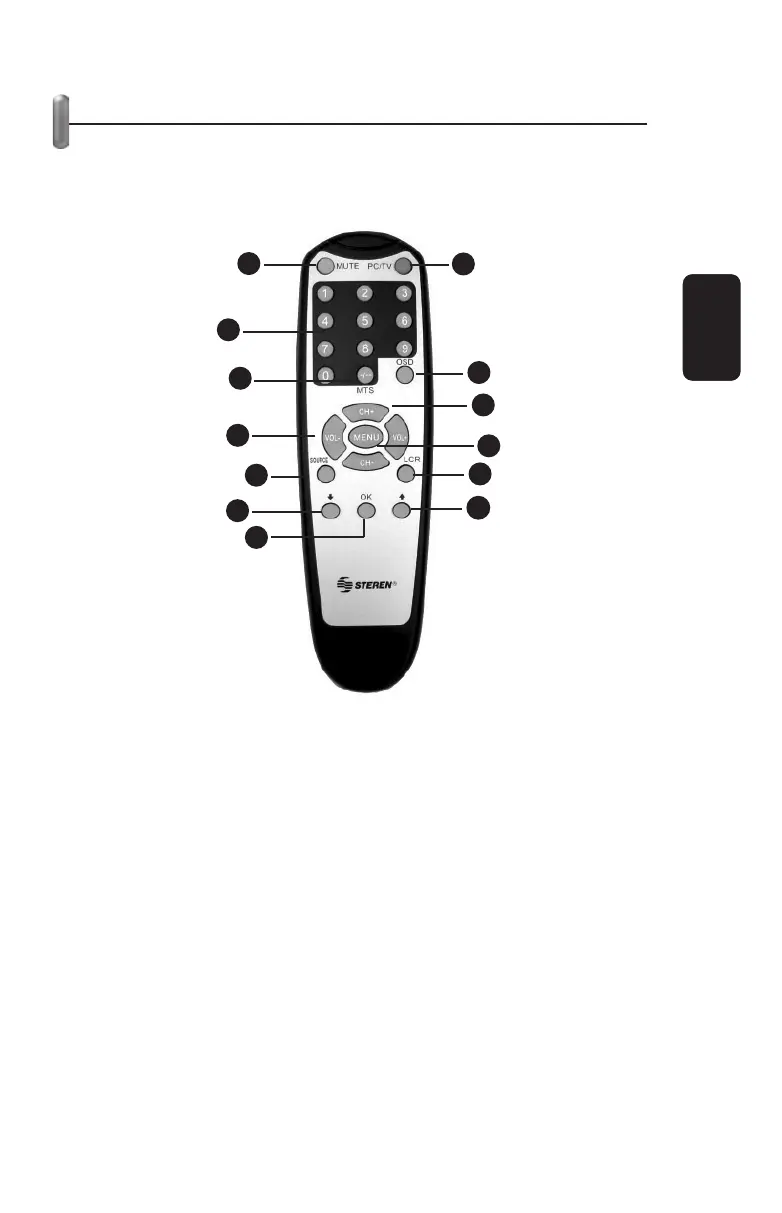
REMOTE CONTROL DESCRIPTION
It’s very important to read this section before operating your
remote control.
1.- Mute
Mute the sound
2.- PC / TV
Switch between PC and TV source
3.- Numeric buttons
Use to change a channel, directly
4.- MTS (Optional)
Press to switch between Normal or Stereo sound output (this
option is available only if the selected TV show includes the
feature)
5.- OSD
Displays information in the screen
ENGLISH
ENGLISH-11
1
2
3
4
5
6
7
8
9
10
11
12
13



 To Next Page