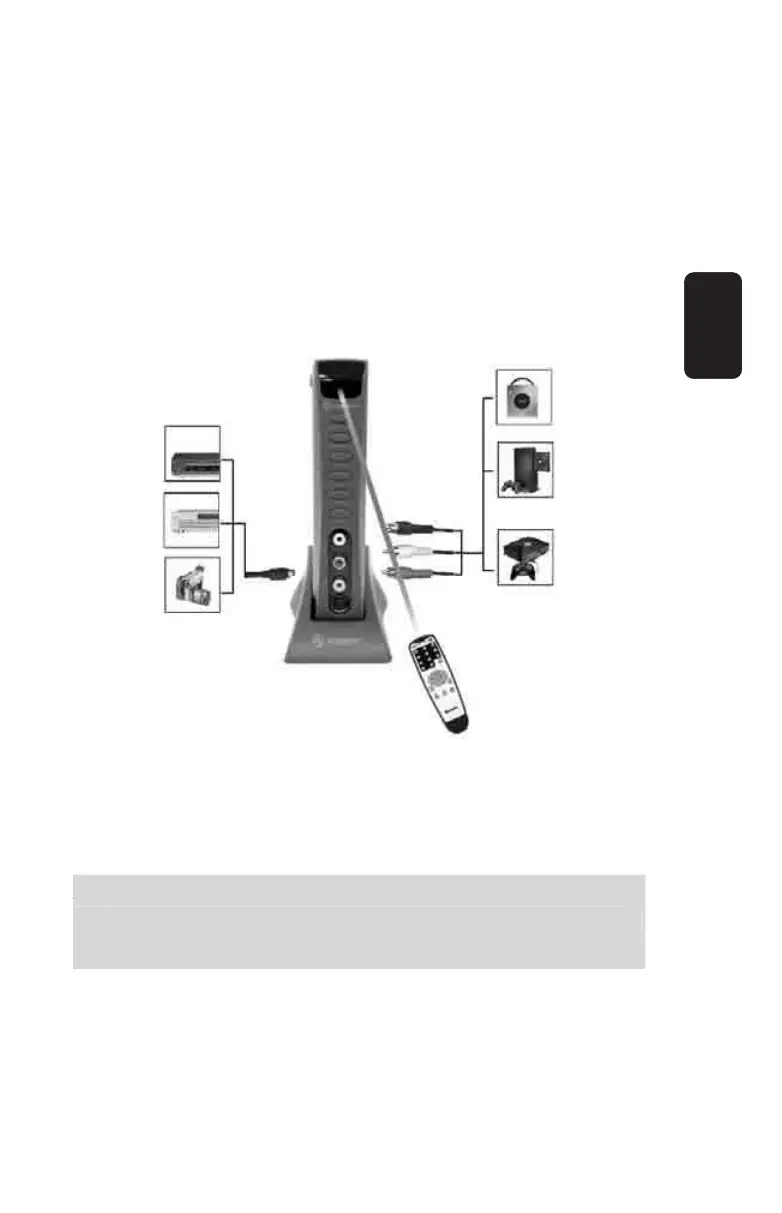
Diagram 3:
Step 7: Connect the audio / video source to the input on your
adaptor signaled as “AUDIO/VIDEO IN”. The audio / video
signal might be labeled on some devices as A/V.
Step 8: Connect the S-Video source to the input on your adaptor
signaled as “S-VIDEO”
Steps 1, 7, 8 In TV mode, these three different sources can
be selected by pressing the “Source” button on your unit or
the remote control.
te
s 1, 7, 8 In TV mode, these three different sources can
be selected b
pressin
the “Source” button on
our unit or
he remote control.
ENGLISH
ENGLISH-10



 To Next Page