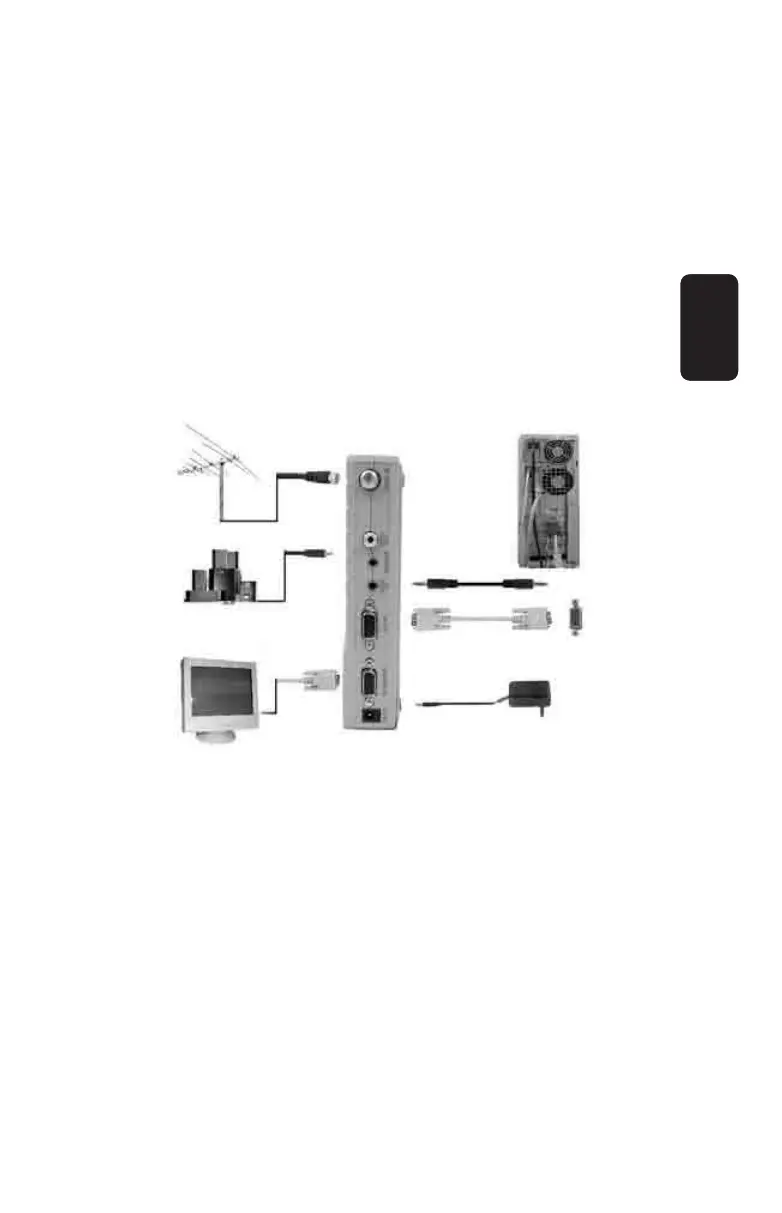
Diagram 2:
Step 4: Connect the audio card from your PC to the input on
your adaptor signaled as “AUDIO IN”
Step 5: Connect the VGA output from your PC to the input on
your adaptor signaled as “VGA IN”
Step 6: Before connecting the AC/DC voltage adaptor to your
home power source, make sure the voltage matches.
ENGLISH
ENGLISH-9



 To Next Page