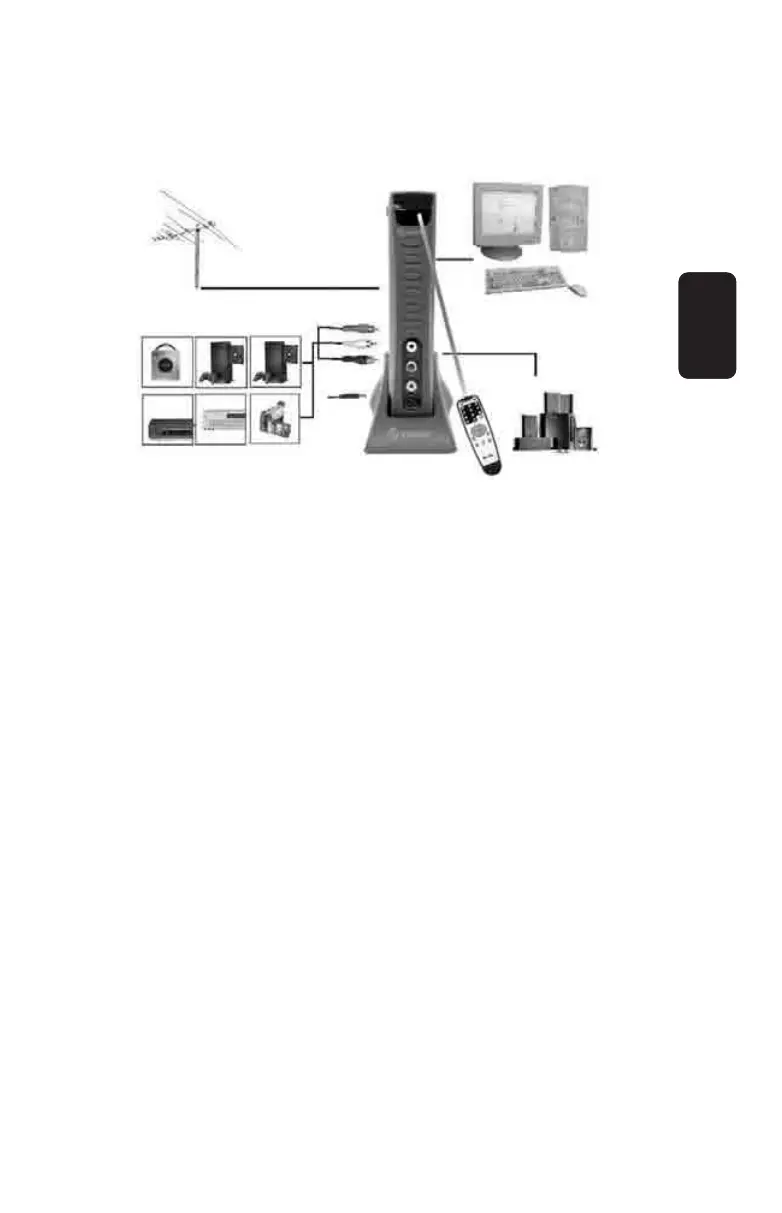
Connection Suggestion 1
COM-250 + Speaker + CATV / TV antenna + Monitor
This application will allow you to watch CATV or TV programs
on your monitor with only connecting COM-250 with CATV / TV
antenna and the monitor.
Follow steps 1, 2, 3, and 6
Connection Suggestion 2
COM-250 + Speaker + CATV / TV antenna + PS2 (Game Cube,
XBOX, or DVD) + Monitor
This application will allow you to watch CATV, TV, and DVD or
play video games . Follow steps 1, 2, 3, 6, 7, and 8.
Connection Suggestion 3
COM-250 + CATV/TV antenna + Speakers + PS2 (Game Cube,
XBOX or DVD) + PC + Monitor
This application will allow you to watch CATV, TV, and DVD or
play video games or operate your PC on your monitor. Follow
steps 1 – 8
ENGLISH
ENGLISH-7



 To Next Page