EasyManua.ls Logo

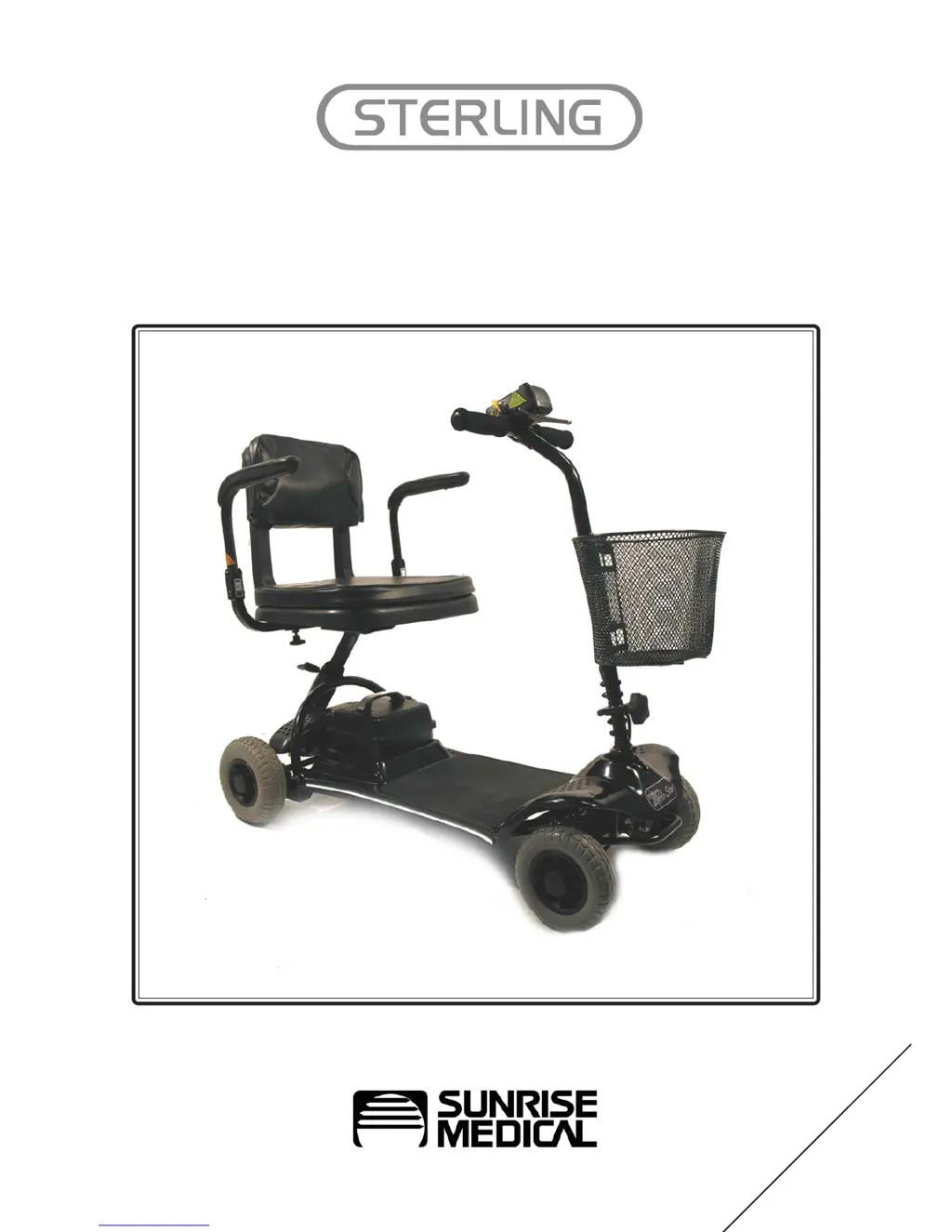
Sterling Mobility Scooter - User Manual

Sterling Mobility Scooter
40 pages
Print Icon
To Next Page IconTo Next Page
Loading...
Owners Manual
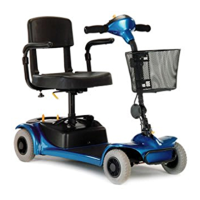
Little Star
4 Wheel Scooter
ENGLISH

Questions and Answers

  • E
    evelyn98Aug 14, 2025
    Why is the battery pack of my Sterling Mobility Scooter not charging?
    • T
      tiffanywilsonAug 14, 2025
      If the battery pack of your Sterling Scooter isn't charging, consider the following: * The battery pack might be faulty and need replacement. * The charger itself could be defective and require replacement. * There might be a loose connection; check all plugs and looms. * The wall outlet may not be working; try a different one. * The fuse in the charger's mains plug could be blown; unplug the charger and replace the fuse. * The button on the battery pack may have popped out; switch off the scooter and press the button back in. * For a damaged charger loom or plug, contact your local mobility dealer.
  • B
    Barbara HarveyAug 18, 2025
    What to do if my Sterling Mobility Scooter battery pack is not charging?
    • L
      loganmurphyAug 18, 2025
      If the battery pack on your Sterling Scooter isn't charging or the battery gauge shows empty after charging, consider the following: * The battery pack itself might be faulty, requiring replacement. * The charger could be faulty and need replacing. * There might be a loose connection in the plugs and looms, so check those. * Try a different wall socket in another room to rule out a wall outlet issue. * Unplug the charger and change the fuse if the fuse in the charger mains plug is blown. * If the button on the battery pack has popped out, switch off the scooter and press the button back in. For damaged charger looms or plugs, or a blown output fuse in the charger, contact your local mobility dealer.
  • R
    Robin LittleAug 21, 2025
    Why is the battery charging current high on my Sterling Scooter?
    • T
      Timothy BennettAug 21, 2025
      A high battery charging current in your Sterling Scooter could be due to faulty batteries, in which case you should replace the battery pack. Alternatively, the scooter might be switched on during charging; make sure to turn the scooter off while charging.
  • C
    Christopher DaltonAug 25, 2025
    What to do if my Sterling Mobility has no drive?
    • R
      Renee GutierrezAug 25, 2025
      If your Sterling Scooter isn't moving, there are several things to check: * Ensure the brake-release lever is engaged. * Make sure the battery pack is fully charged. * Verify the scooter is switched on. * Confirm the battery pack is properly connected. * Try turning the key off and on again to exit sleep mode. * Unplug the charger. * Reset the circuit-breaker button. * Check all plugs and looms for disconnections.
  • O
    Olivia AlvarezAug 27, 2025
    How to increase the range of my Sterling Mobility Scooter?
    • C
      Christine EdwardsAug 27, 2025
      If your Sterling Scooter's range is shortened, it could be due to: * Batteries not charged for a sufficient time. Charge them for eight hours or more. * Batteries being weak and unable to hold a charge. Consider replacing the battery pack.
  • A
    Alexandria HoganAug 30, 2025
    What to do if the battery charging current is high on my Sterling Scooter?
    • P
      patricialeeAug 31, 2025
      If your Sterling Scooter's battery charging current is high: * The batteries might be faulty, consider replacing the battery pack. * The scooter might be switched on during charging, turn it off.
  • S
    Scott TaylorSep 3, 2025
    Why is the range of my Sterling Mobility shortened?
    • L
      Linda PerezSep 3, 2025
      A shortened range on your Sterling Scooter can be due to a couple of reasons. Either the batteries haven't been charged for at least eight hours, or the battery pack is weak and can no longer hold a charge. Try charging the batteries for a longer period. If that doesn't help, consider replacing the battery pack.
  • J
    joneskevinSep 6, 2025
    What does 1 beep mean on my Sterling Mobility?
    • J
      Jamie WalkerSep 6, 2025
      One beep on your Sterling Scooter indicates low battery voltage. This means the battery needs charging, or there is a bad connection on the battery. Check the connections to the battery and if the connections are good, try charging the battery.
  • A
    Alyssa DavisSep 10, 2025
    How to fix irregular motor running in Sterling Mobility?
    • D
      duartedanielSep 12, 2025
      If the motor of your Sterling Scooter runs irregularly or noisily, this could be due to an electrical malfunction or a control system fault. In either case, it's best to contact your dealer for assistance.

Summary

Introduction

Guarantee

Warranty Conditions

Details the terms and conditions for product warranty coverage and claims, outlining user responsibilities and manufacturer obligations.

How to Use This Manual

General Warnings

Personal & Operational Guidelines

Essential safety rules and operational advice for using the scooter safely and correctly, covering various scenarios.

EMC (EMI) Warnings

Sources of Electromagnetic Interference

Identifies common sources of electromagnetic interference that may affect scooter operation, such as radio transmitters.

Scooter Electromagnetic Contamination

Explains how EM energy affects the scooter and provides specific prevention advice to minimize interference.

Safety Warning and User Guidance

Getting on to Your Scooter

Step-by-step instructions for safely boarding the mobility scooter, ensuring stability and proper posture.

Getting off Your Scooter

Step-by-step instructions for safely disembarking the mobility scooter, maintaining balance.

General Safety Warnings

Essential safety tips including general warnings, awareness of surroundings, and user condition.

Turning, Kerb, and Hill Climbing Safety

Advice on safe cornering, kerb negotiation, and hill climbing, including gradient limitations.

Lifting Heavy Components

Guidance on safely lifting scooter parts like the seat and battery pack, emphasizing proper technique.

Battery and Tyre Safety

Safety precautions related to the care, handling, and inspection of scooter batteries and tyres.

Braking and Freewheel Safety

Safety advice concerning the scooter's braking systems and the operation of the freewheel mechanism.

Transportation and Mobile Phone Safety

Safety guidelines for transporting the scooter and using mobile phones while operating.

Seat Height Adjustment Safety

Safe procedure for adjusting the seat height to ensure user comfort and stability.

Armrest and Tiller Adjustment Safety

Instructions for safe adjustment of armrests and the tiller for optimal user control.

Tiller Control Functions

Hand Controls Overview

Identifies and explains the various controls located on the tiller panel, including speed and battery status.

Throttle Lever and Horn Operation

Describes the operation of the throttle lever for speed control and the horn button for signaling.

On-Off Switch;Key Switch

Explains the function and safe usage of the scooter's power switch, including sleep mode.

Operating Your Scooter

Freewheel Mechanism Operation

Details how to use the freewheel for manual operation and associated safety precautions.

Basic Driving and Reversing

Instructions for basic driving, steering, and safe reversing techniques, including speed adjustments.

Braking and Switching Off

Explains the scooter's braking systems and the correct procedure for switching off the unit.

Guidance for Safe Operation and Use

Road and Footpath Usage

Provides guidance for safe crossing of roads, using footpaths, and navigating pedestrian areas.

Slope and Terrain Navigation

Advice on safely traversing slopes and hills, including limitations and terrain considerations.

Scooter Transportation

Steps for disassembling and safely transporting the scooter in a vehicle, emphasizing securing components.

Batteries and Charging

General Battery Information

Explains the type of batteries used, their characteristics, and general care principles.

Battery Care Plan

Outlines the recommended procedures for charging and maintaining scooter batteries for optimal performance.

Battery Range Factors

Discusses factors affecting the scooter's travel range and battery life, such as user weight and terrain.

Off Board Battery Charger

Details the operation, safety warnings, and troubleshooting for the external battery charger unit.

Trouble Shooting Guide

Routine Maintenance

Specifications

Sterling Mobility Scooter Specifications

General IconGeneral
Maximum Speed5 mph
Top Speed5 mph
Overall Length48 inches
Seat Width18 inches
Ground Clearance3 inches

Related product manuals