EasyManua.ls Logo

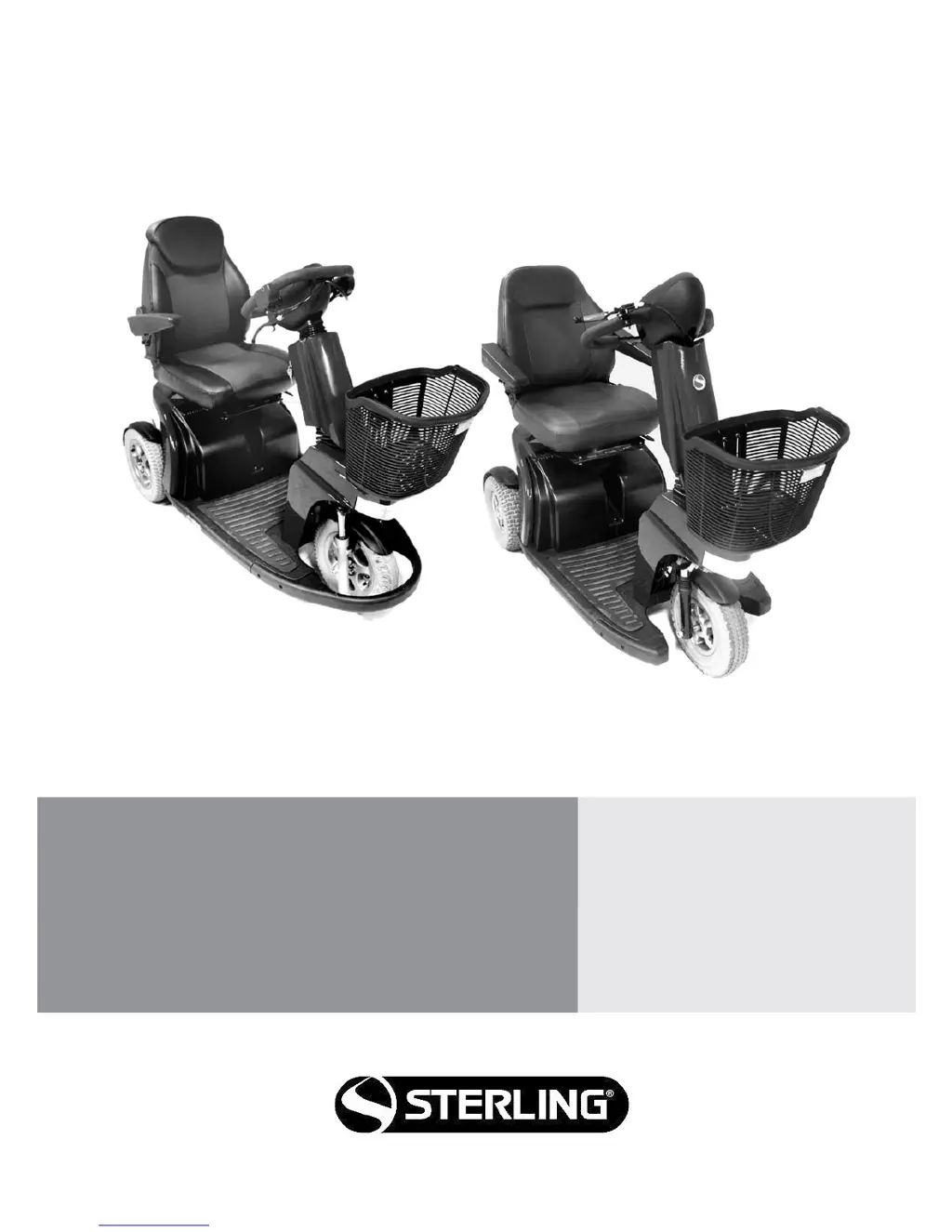
Sterling Elite2 Plus - User Manual

Default Icon
52 pages
Print Icon
To Next Page IconTo Next Page
Loading...
Instructions for Use
Elite
2
Plus, Elite
2
XS,
Elite
2
RS
MOBILITY SCOOTER
ELTP010100

Questions and Answers

  • F
    Felicia NovakAug 17, 2025
    What to do if the battery gauge flashes rapidly on my Sterling Elite2 Plus?
    • P
      Patricia VasquezAug 17, 2025
      If the battery gauge on your Sterling Scooter flashes rapidly, it means the control system safety circuits have been activated, preventing the scooter from moving. First, switch the scooter off. Then, check all plugs and sockets to ensure they are properly connected. Inspect the battery's condition. If you can't identify the problem, switch the scooter on again to see if it works. If the safety circuits activate again, turn the scooter off and do not attempt to use it. Contact your Sunrise Medical authorized dealer.
  • J
    Jessica PettyAug 20, 2025
    What to do if battery gauge steps up on Sterling Elite2 Plus?
    • D
      Deborah PowersAug 20, 2025
      If the battery gauge on your Sterling Scooter steps up, you will not be able to drive the scooter until the charger is disconnected and you have switched the control system off and on again.
  • D
    Daniel WilliamsAug 23, 2025
    What does it mean if battery gauge flashes slowly on Sterling Scooter?
    • D
      Denise RamseyAug 23, 2025
      If the battery gauge on your Sterling Scooter flashes slowly, it means the batteries need charging as soon as possible.
  • C
    Cory BakerAug 26, 2025
    Why is my Sterling Scooter moving slow?
    • N
      Nathan BrownAug 26, 2025
      If you notice slow or sluggish movement with your Sterling Scooter, start by checking the maximum speed setting. If adjusting the speed doesn't resolve the issue, it could indicate a non-hazardous fault. In this case, it's best to consult your Sunrise Medical authorized dealer for further assistance.
  • G
    Garrett StewartAug 28, 2025
    What to do if a general control system fault has been detected on Sterling Scooter?
    • D
      David PooleAug 28, 2025
      If you suspect a general control system fault in your Sterling Scooter, begin by checking that all plugs and sockets are securely connected. If the scooter has been exposed to extreme weather, driven through deep puddles, or jet washed, place it in a dry, warm environment to allow it to dry out completely.
  • G
    Gary WrightAug 31, 2025
    What does it mean if a throttle fault has been detected on Sterling Scooter?
    • D
      Debbie ValenzuelaAug 31, 2025
      If a throttle fault has been detected on your Sterling Scooter, make sure that the throttle levers are in their neutral or rest position.
  • J
    James MartinSep 3, 2025
    What to do if an excessive voltage has been applied to the Power Module of Sterling Elite2 Plus Scooter?
    • A
      audreywilliamsSep 3, 2025
      If your Sterling Scooter displays that an excessive voltage has been applied to the Power Module, check the battery connections. Also, verify that you are using the correct battery charger and that it is functioning correctly.
  • J
    Jordan StanleySep 5, 2025
    How to fix a bad connection to the motor on Sterling Elite2 Plus?
    • J
      James AlexanderSep 6, 2025
      If you suspect a bad connection to the motor of your Sterling Scooter, check all connections to the Motor and Power Module. Also, inspect the Motor brushes.
  • C
    Catherine VillarrealSep 8, 2025
    How to fix parking brake bad connection on Sterling Scooter?
    • N
      ngarrisonSep 8, 2025
      If you suspect a bad connection with the parking brake on your Sterling Scooter, check all connections between the Motor, Brake, and Power Module.
  • J
    James BellSep 12, 2025
    What to do if the freewheel lever is activated on Sterling Scooter?
    • I
      ialvarezSep 12, 2025
      If your Sterling Scooter isn't working because the freewheel lever/switch is activated, switch the scooter off. Put the scooter back into “DRIVE” mode and switch the scooter back on again.

Summary

Features of Sterling Elite² Models

Features of Sterling Elite² - XS - RS

Highlights the key features of the Elite² XS and RS scooter models.

Features of Sterling Elite² Plus

Highlights the key features of the Elite² Plus scooter model.

Safety Information and Precautions

General Safety Warnings

Provides general safety warnings regarding road use, operation, and visibility.

Operational Safety Checks

Essential pre-operation checks, emergency braking, and kerb handling advice.

Advanced Safety and Usage Guidelines

Freewheel Device Operation

Explains the two modes of movement (Drive and Freewheel) and their usage.

Transportation in Vehicles

Provides guidelines for safely transporting the scooter in vehicles.

Occupant Restraint and Transport Safety

Occupant Restraint Instructions

Details how to correctly use occupant restraint belts for safe transport.

Transportability and Hazard Awareness

Tie Down Restraints Positioning

Illustrates the correct positioning of tie-down restraints on the scooter for transport.

Operational and Environmental Safety

Driving Hazards and Limits

Advice on sharp turns, weight limits, and hot/cold surfaces.

Road & Adverse Conditions Safety

Safety precautions for road use and adverse weather.

Safe Operation and Accessories

Safety Checks and Assembly Introduction

General Safety Checks

Essential checks before operating the scooter to ensure safety.

Seat Adjustments

Details how to adjust various parts of the seat for comfort and functionality.

Seat and Anti-Tip Wheel Details

Battery Removal and Accessories

Windshield, Scooter Use, and Adjustments

Seat and Armrest Adjustments

How to adjust seat recline, lumbar, position, and armrest angle.

Tiller and Handlebar Adjustments

Tiller Adjustment

Guidance on adjusting the tiller for optimal driving position and access.

Slope Operation and Freewheel Device

Slope Operation Guidelines

Instructions for safely maneuvering on steep ramps and slopes.

Slope Climbing Procedures

Provides instructions for safely climbing slopes.

Freewheel Device Usage

Explains how to use the freewheel device and its safety precautions.

Tyre Pressure and Water Safety

Mounting and Dismounting Kerbs

Details how to safely mount and dismount kerbs or steps.

Using Near Water

Advises caution when using the scooter near water.

Scooter Control Systems

Elite² XS, RS Control System

Identifies components of the XS/RS control system.

XS;RS Control System Operations

Power and Safety Switches

Operation of the ON/OFF key switch and its safety implications.

Wig-Wag Control Lever

How to use the wig-wag lever for speed, forward, and reverse motion.

Battery Level and Elite² Plus Controls

Battery Level Indicator

Indicates the average amount of charge in the batteries.

Elite² Plus Control System Overview

Visual guide to the control system components for the Elite² Plus.

Elite² Plus Control System Operations

Power Switch and Safety

Operation of the ON/OFF key switch and its safety implications.

Side Control Lever Operation

How to use the side control lever for speed, forward, and reverse motion.

Plus Display and Control Features

Speed Control and User Profiles

Adjusting speed, and switching between indoor/outdoor modes.

Driving Procedures and Braking Systems

Basic Driving Techniques

Essential techniques for basic driving and maneuvering.

Braking Systems Explained

Explanation of automatic, parking, and emergency braking methods.

Troubleshooting with LCD Display

Elite² Plus Display Troubleshooting

Interpreting display messages and battery gauge for Elite Plus.

Elite² XS, RS Display Troubleshooting

Interpreting LCD error codes and fault indicators for XS/RS.

Self-Help Guide for Faults

Fault Codes and Possible Causes

Guide to identifying faults by checking display codes and bars.

Batteries and Charging Information

Battery Care Plan and Charger Operation

Charger Operation and Safety

Charger information, specifications, safety features, and charging procedure.

Vehicle Range and Adjustments

Specification Sheets

Service, Maintenance, and Re-use

Service and Maintenance Schedule

Schedule for routine maintenance and inspection tasks.

Wheel Removal Procedures

Front and Rear Wheel Removal

Rear Wheel Removal and Inner Tube Change

Sterling Elite2 Plus Specifications

General IconGeneral
BrandSterling
ModelElite2 Plus
CategoryScooter
LanguageEnglish

Related product manuals