- 16 -
OPERATION OF THE STIMTEC NEO UNIT
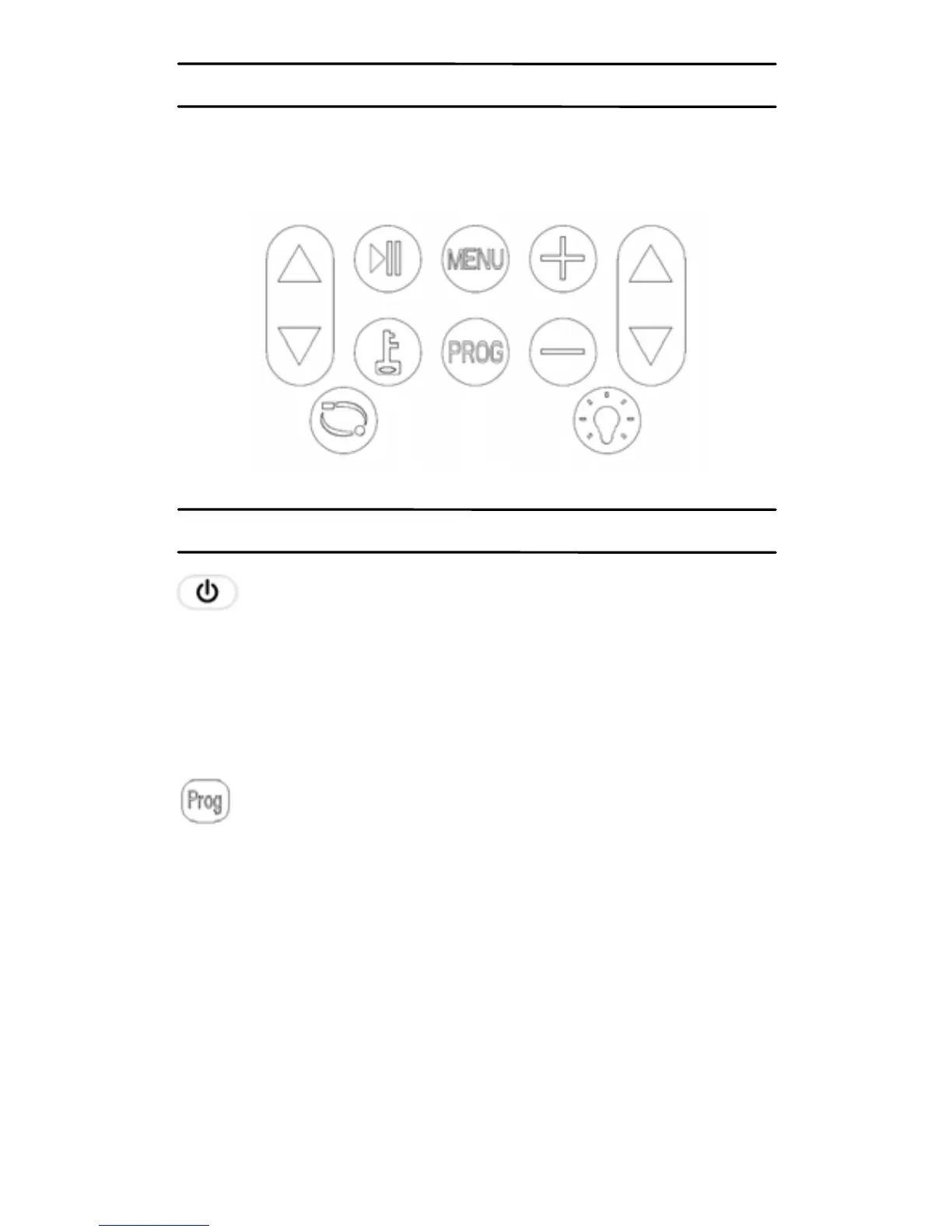
StimTec NEO Unit is easy to operate using the keys
shown in the following diagram.
WHAT DOES EACH KEY DO
This key switches the unit on or off. Press once
and the unit is on, the LCD display located at the front of
the unit will light up, there will be no feeling from either
lead at this point as the intensity always starts at zero.
Press this key again and the unit will switch off.
There are four stimulation types available with the
StimTec NEO (TENS, EMS, MicroCurrent and
Interferential stimulation).
Press and hold the “Prog” key at least 3 seconds, to
switch between TENS – EMS – MICRO – IFT. The
symbol “TENS”, “EMS”, “MICRO” and “IFT” will display
on the LCD accordingly.
Once the stimulation type is selected, press the “Prog”
key to select the related programs.


 To Next Page