SPXM1
4
5
StingerElectronics.com StingerElectronics.com
®
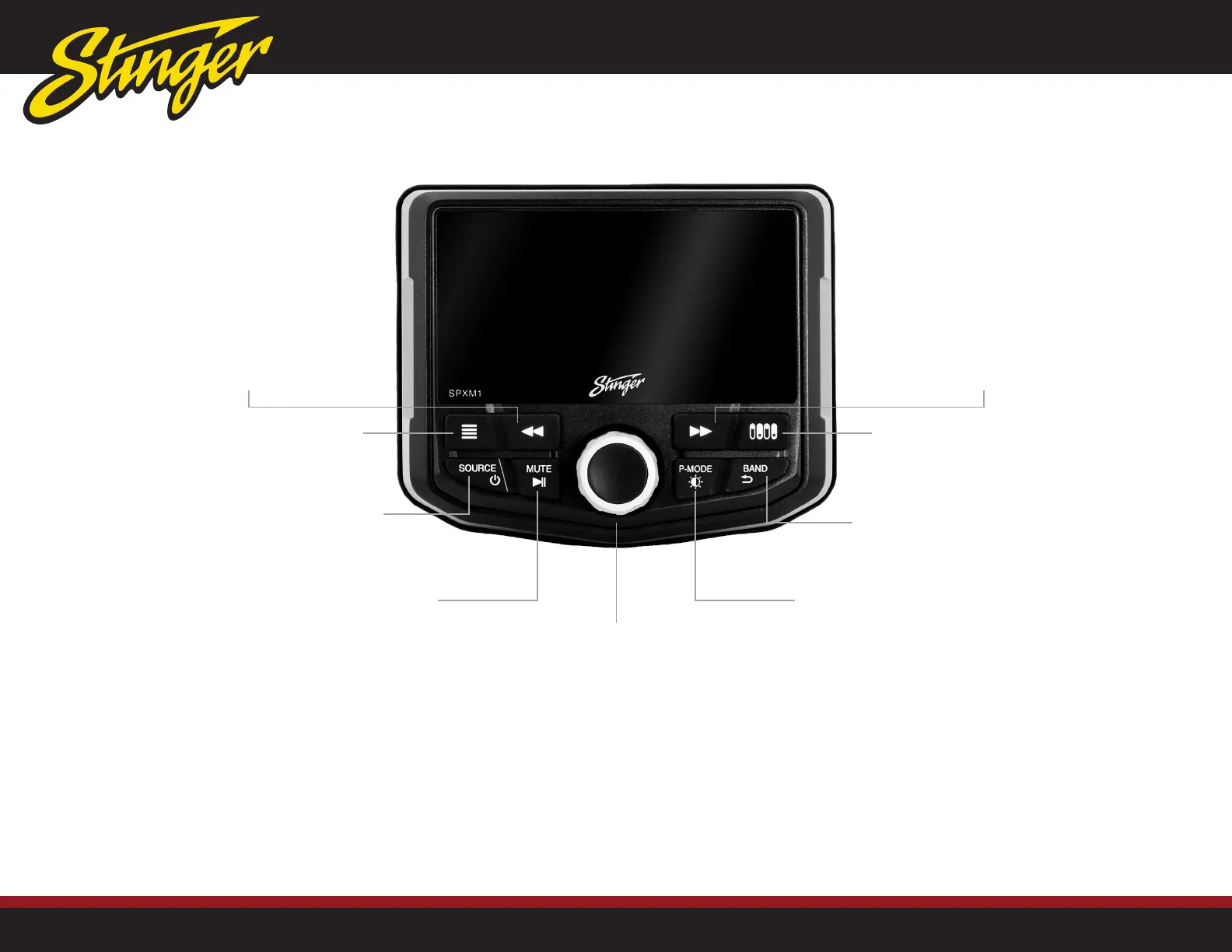
MENU Button
Press to access active source options
Press & Hold to access global settings
BAND | RETURN Button
Press to cycle Radio Bands
Press to Return to previous page
Tune/Track Down Button
Media control: Previous, Back, REW
Press & hold function in select sources
Tune/Track Up Button
Media control: Next, Forward, FWD
Press & hold function in select sources
Controls | Functions
Power ON/OFF | SOURCE
Press to turn ON
Press and hold to turn OFF
Press to access SOURCE menu
Volume, Sub Level, Balance & Fader
The center knob [M-KNOB] performs
multiple functions depending on the source
or menu.
When listening to a Source:
Rotate to adjust Volume
- Volume Level (0-20) will be shown on screen
Press to adjust Subwoofer Level
- Rotate to adjust Subwoofer Level (0-20)
(When Rear Channel is set to Subwoofer)
Press again to adjust Balance
- Rotate Left or Right
Press again to adjust Fader
- Rotate for Front or Rear
P-MODE | Day/Night
Press to switch Day/Night mode
Press and hold for radio presets (Page 8)
MUTE | Play/Pause
Press to mute (silence) audio. When muted,
the mute icon will appear in the top left
corner. To un-mute audio, press mute again
or adjust the volume with the knob.
When listening to digital music les, the
MUTE button will Pause/Play audio.
Accessory Controls | Battery Voltage
Press to access Accessory Controls (Page 15)
Press and hold to display battery voltage.



 To Next Page