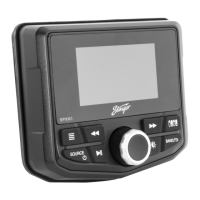
SPXM1
6
7
StingerElectronics.com StingerElectronics.com
®
SELECTING A SOURCE
Source List
PAIRING A BLUETOOTH DEVICE
To select a Source
Press the [SOURCE] button.
Rotate the [M-KNOB] to cycle
through available sources.
Press the [M-KNOB] to select the
highlighted source
RADIO
USB
AUX
BLUETOOTH MUSIC
CAMERA
By default, the SPXM1 will be in Pairing Mode.
With the device in Discoverable Mode:
Open the Bluetooth Settings on the device
Select STINGER from the device list
Once pairing is complete a conrmation message will appear on SPXM1
NOTE: If STINGER does not apear in the list of available devices, conrm bluetooth is turned
on by pressing and holding the [MENU] button to access the global settings. ON should be
highlighted orange under BT Pairing.
Auto Connect
Once a device is paired, the SPXM1 will automatically connect to that
device whenever it is powered on and the device is within range.
There are 2 types settings, source specific and global. Source specific are settings pertaining to the
active source and can be accessed by pressing the [MENU] button while on that source. For example,
when listening to the radio, pressing the [MENU] button will access the FM Settings menu.
Global Settings are system settings that affect many sources and can be accesed on any source by
Pressing and Holding the [MENU] button.
Sources that are not currently available are not
selectable. For example, if there is nothing plugged
into the USB, then USB is not a selectable source.
NAVIGATING & CHANGING SETTINGS
Current Setting
is Orange
Light Blue
Highlight Bar
Dark Blue
Highlight
Press or Press & Hold
the [MENU] button
for SETTINGS
Rotate [M-KNOB] to
scroll and highlight
the desired setting.
Press [M-KNOB] to select
setting.
Rotate [M-KNOB] to cycle
between setting values.
Highlight the desired setting value
and Press the [M-KNOB] to set.
Value will turn orange.
Press the
[BAND/BACK] button
to exit.
NOTE: Double arrows (
>>)indicates a sub-menu


 To Next Page
 Loading...