12
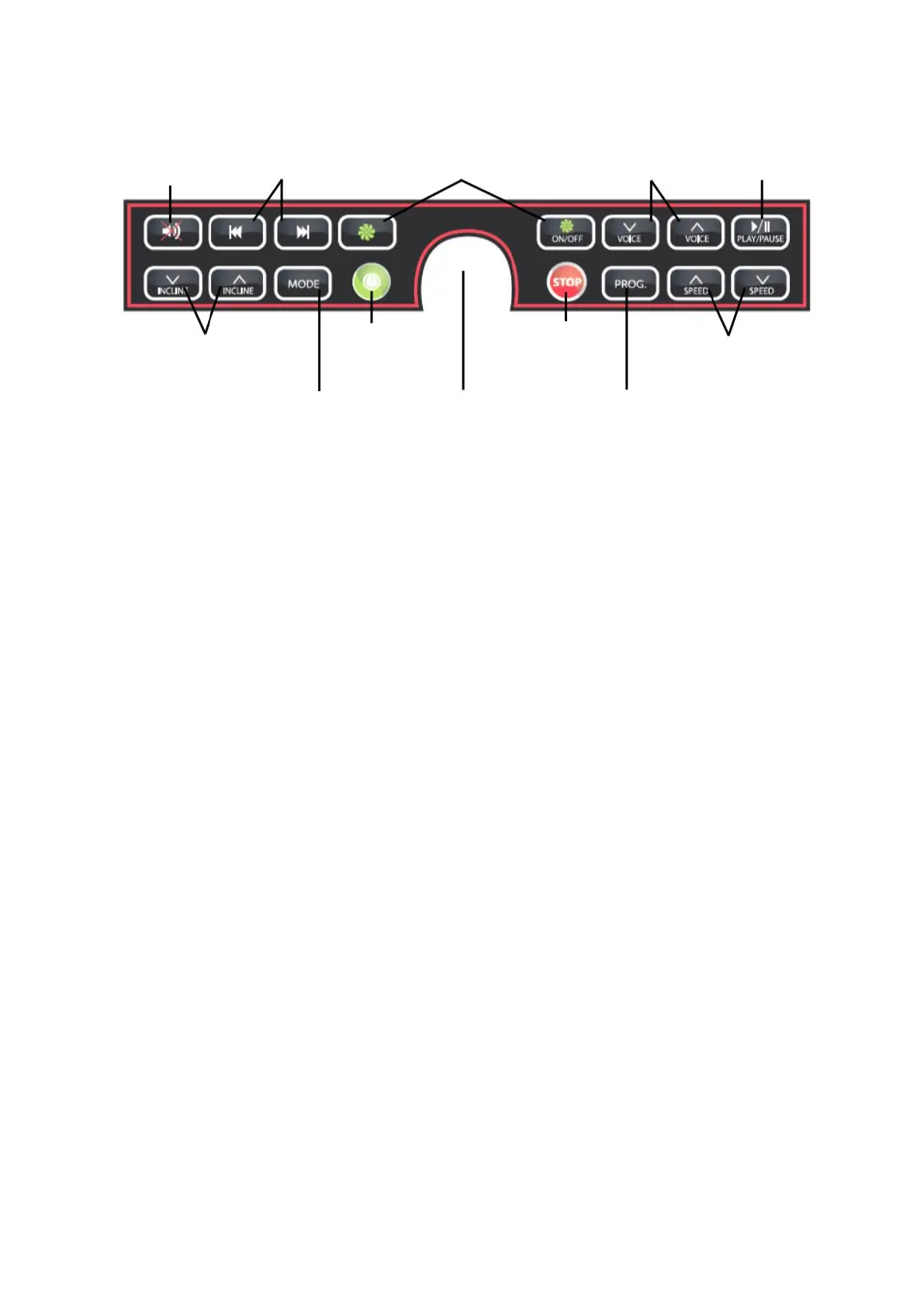
(1) "START/STOP"
When you are ready to start the belt, press the "START" button and the belt will start
moving at 1.0 km/h. Press the "STOP" button to stop the belt from moving. If the belt is
running and moving at a speed greater than 3.5 km/h, press this button and it will begin
to slow down until it comes to a complete stop. During this deceleration, the other
buttons do not respond. If the belt is moving at less than 3 km/h, press this button and it
will stop immediately.
(2) "INCLINE ▲▼"
When the belt is running, press the "▲" or "▼" button to increase or decrease the
inclination of the belt to the desired value.
(3) "SPEED ▼▲"
When the belt is running, press the "▲" or "▼" button to increase or decrease the speed
to the desired value. The buttons can also be used in setup mode.
(4) "SPEED 3/6/9/12/16" (km/hr)
When the belt is running, pressing one of these 5 buttons will automatically set the
speed to the desired level ("shortcut speed selection").


 To Next Page