
 Need help?
Do you have a question about the Storz 11303BNX and is the answer not in the manual?
Emphasizes the importance of reading and following all instructions for safe operation.
Highlights the need to consult instructions for any combined products used with the device.
Defines the specific products and models covered by this instruction manual.
Explains the meaning of warning symbols (WARNING, CAUTION) and their associated risk levels.
Details the specific medical applications and functions for which the endoscopes are designed.
Lists the medical conditions and procedures where the use of intubation endoscopes is recommended.
Specifies conditions or situations where the use of the intubation endoscope is not permitted.
Identifies the qualified medical professionals who are authorized to operate the device.
States whether there are any restrictions or considerations regarding specific patient demographics.
Defines 'serious incidents' as per MDR and outlines reporting obligations.
Provides guidance on checking for damage and the risks of using compromised products.
Outlines essential practices for safe handling and operation to prevent user or patient injury.
Warns about the non-sterile delivery state and the necessity of reprocessing.
Emphasizes that the product is for single use only to prevent infection and injury risks.
Specifies environmental conditions for storage, transport, and operation to prevent damage or injury.
Warns against using incompatible accessories, which may cause malfunction or injury.
Alerts users to components that may heat up due to light intensity, posing a burn risk.
Details risks of permanent eye damage or blindness from direct light exposure.
Explains risks associated with combined powered devices and patient safety.
Safety precautions for High Frequency (HF) applied parts to prevent unintentional contact injuries.
Instructs immediate discontinuation of use if the videoendoscope malfunctions.
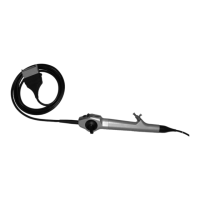
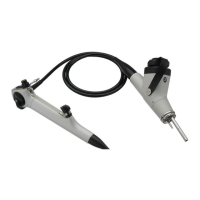
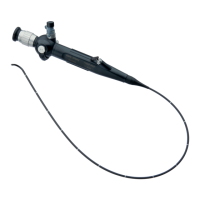
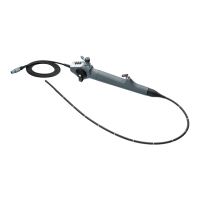
Visual identification and labeling of the videoendoscope's main parts and features.
Lists compatible components and systems that can be used with the videoendoscope.
Provides detailed specifications for different videoendoscope models, including dimensions and performance.
Explanation of various symbols used on the product's packaging for identification and compliance.
Explanation of symbols that are directly marked on the videoendoscope itself.
Specifies the required temperature, humidity, and pressure for storage and operation.
Steps for safely removing the product and accessories from the packaging and checking for damage.
Instructions for attaching necessary components like the suction valve and tube holder.
Detailed steps for connecting the videoendoscope to the C-MAC monitor and charging.
Procedure for connecting the videoendoscope to the C-HUB II for system integration.
Essential pre-use checks for the deflection mechanism and suction function.
Instructions on how to power on the videoendoscope system using the C-MAC monitor.
Guidance on using the deflection lever to control the distal tip's movement.
Details the functions of the buttons for video recording, white balance, and still image capture.
Instructions for inserting instruments and accessories through the videoendoscope's working channel.
Steps to connect and activate the suction function via the suction valve.
Information on authorized repair services and decontamination requirements.
Procedures for the proper disposal of the product in accordance with WEEE regulations.
A comprehensive list of available accessories with their respective order numbers.
Details on electromagnetic compatibility testing and system compatibility with other devices.
A troubleshooting guide for identifying and resolving common faults and error messages.
 General
| Manufacturer | Karl Storz |
|---|---|
| Category | Medical Equipment |
| Model | 11303BNX |
| Diameter | 4.9 mm |
| Length | 30 cm |
| Light Source | Fiber Optic |
| Direction of View | 0° |
| Autoclavable | Yes |
| Field of View | 90° |
| Compatibility | Storz Light Sources and Camera Systems |







 To Next Page