EasyManua.ls Logo

strapex STB 75 - User Manual

Default Icon
28 pages
Print Icon
To Next Page IconTo Next Page
Loading...
V 03.17
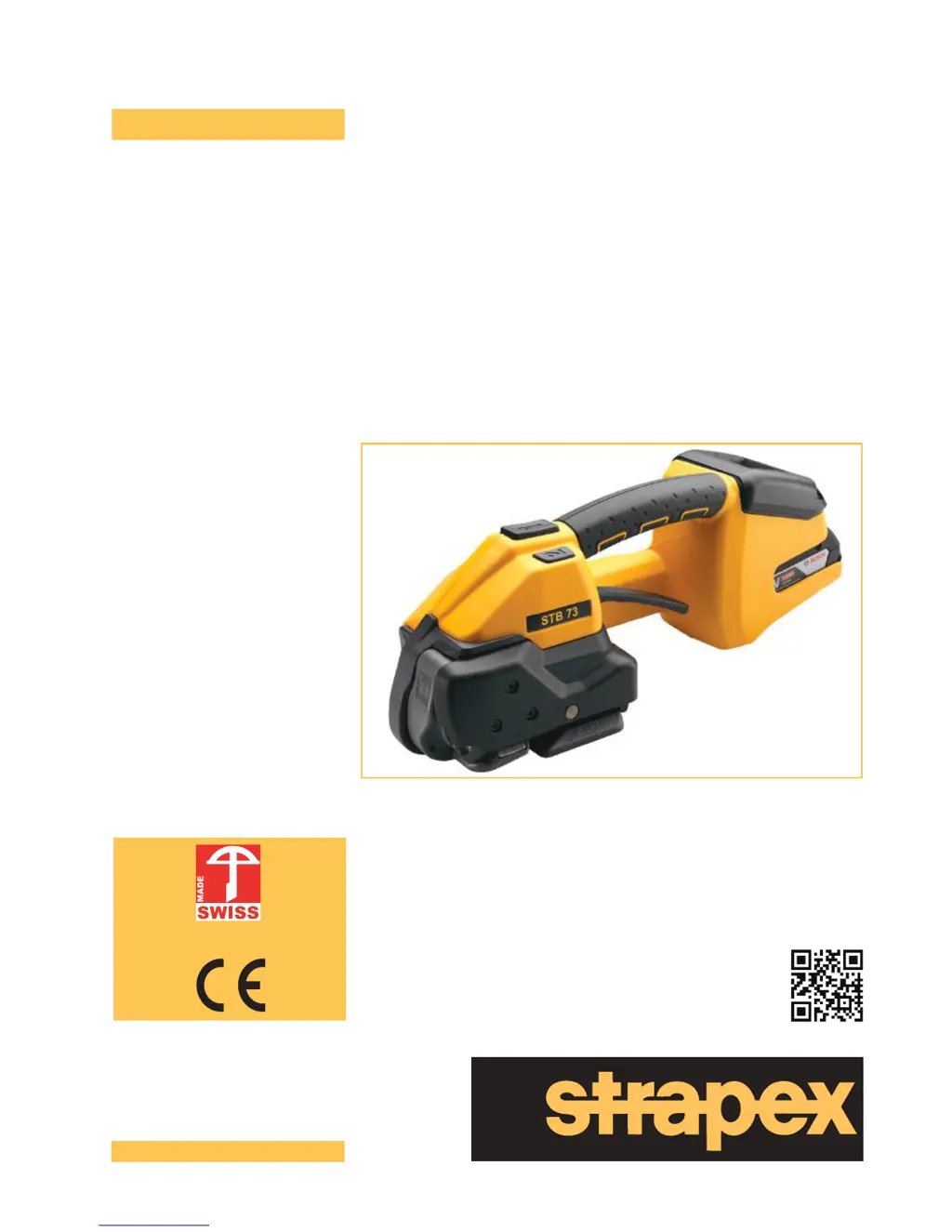
Battery-operated hand tool for plastic strapping
STB 71
STB 73
STB 75
Operating instructions
English
Patent pending
www.strapex-stb.com

Questions and Answers

  • D
    David MunozAug 18, 2025
    Why does the display of my strapex STB 75 Power Tool remain dark?
    • C
      Chad BakerAug 18, 2025
      The display might remain dark because the battery is faulty or fully discharged, so charge or replace the battery. Alternatively, the battery might not be properly inserted; check if it is completely inserted and the unlocking device is engaged.
  • N
    Nicholas GrayAug 20, 2025
    What to do if my strapex STB 75 Power Tool shows E27 (E23) error with a red display and pulsating symbol?
    • M
      Michael Ford Jr.Aug 20, 2025
      The E27 (E23) error indicates that the battery undervoltage limits have been reached or the battery is empty. Charge the battery, and if the problem persists, replace it.
  • E
    ewilsonAug 23, 2025
    What causes E20 error on my Strapex Power Tool?
    • A
      amanda70Aug 23, 2025
      The E20 error, accompanied by a red display and pulsating symbol, indicates that the battery is too hot (over 60°C/140°F). Allow the battery to cool down. If the issue continues, try charging the battery or replacing it if necessary.
  • A
    Aaron LongAug 25, 2025
    What does it mean when my strapex STB 75 displays E33 with a red display and pulsating symbol?
    • T
      Theresa MarshallAug 26, 2025
      The E33 error, along with a red display and pulsating symbol, indicates electronics overtemperature or that the controller is too hot. Allow the tool to cool down.
  • M
    Meghan StevensAug 27, 2025
    What should I do if my Strapex Power Tool displays E57 with the tension force display flashing?
    • F
      flemingmelissaAug 27, 2025
      The E57 error with a flashing tension force display suggests that the strap has slipped or broken. Reinsert the strap. Also, check the tension force, if the strap is dirty, the type of strap used, and the condition of the tension wheel/tooth plate.
  • J
    Jose AdamsAug 29, 2025
    What does E24 error mean on strapex STB 75 Power Tool?
    • M
      Megan PageAug 30, 2025
      The E24 error, shown with a red display and pulsating symbol, means the battery is not properly inserted. Ensure the battery is correctly inserted. It can also mean that the wrong battery is used, in which case you should charge the battery, replacing it if necessary.
  • K
    Kent MartinSep 1, 2025
    How to fix E11 error on Strapex Power Tool?
    • E
      Elizabeth Fernandez MDSep 1, 2025
      The E11 error, along with a red display and pulsating symbol, indicates that an incorrect battery has been inserted. Insert the correct battery.
  • A
    Adam DavisSep 3, 2025
    What does E55/56 error on my strapex STB 75 Power Tool mean?
    • W
      William SmithSep 3, 2025
      The E55/56 error, accompanied by an orange display and pulsating symbols, indicates an aborting of the tensioning process, performance limitation, or a timeout. Try repeating the tensioning process.
  • D
    Dustin BaileySep 5, 2025
    What to do if strapex STB 75 Power Tool displays E25 error?
    • M
      michaeltuckerSep 5, 2025
      The E25 error, shown with a red display, pulsating symbol, and flashing indicators, suggests that the battery is not properly inserted. Ensure the battery is correctly inserted. It can also indicate a faulty temperature sensor, which may need replacement.
  • G
    Gary HickmanSep 8, 2025
    What causes E37 error on strapex STB 75 Power Tool?
    • A
      andrew82Sep 8, 2025
      The E37 error, displayed with an orange display and pulsating symbol, indicates that the tool is jamming during the welding process due to a dirty welding mechanism or a foreign body in the tool. Clean the welding mechanism.

Summary

Operating Instructions

Strapping Procedure

Step-by-step guide on how to place and insert the strap around packaged goods for strapping.

Safety

Intended Use and Safe Operation

Covers the proper use of the tool, potential misuse, and safe working practices.

Safety Instructions

Provides essential safety warnings, including risks of jamming, crushing, and strap breaking.

General Safety Warnings for Power Tools

Personal Safety and Tool Handling

Covers staying alert, using PPE, preventing unintentional starts, and proper tool handling.

Power Tool Use, Care, and Service

Function and Scope of Delivery

Tool Operation and Modes

Describes the tool's function, operating modes (Semi-automatic, Auto, Manual), and tension settings.

Preparing for Operation and Settings

Battery Management

Instructions for charging, inserting, removing, and checking the status of the battery.

Setting the Operating Mode

Selecting Operating Modes (MAN, SEMI, AUTO)

Guide to selecting and using the Semi-automatic, Fully automatic, and Manual operating modes.

Setting Strap Tension

Adjusting Tension Force for Different Straps

Instructions on how to set the desired strap tension force for STB 71, 73, and 75 models.

Advanced Settings

Tensioning and Welding Process

Executing Strap Tension and Welding

Detailed steps for tensioning the strap, performing the weld, and cutting the strap.

Seal Inspection

Checking the Weld Seal Quality

Procedure for visually inspecting the quality of the weld seal after strapping.

Strap Width Adjustment

Preventive and Corrective Maintenance

Component Maintenance

Knife Replacement and Tool Reset

Troubleshooting

Error Displays and Corrective Actions

Guide to interpreting display errors and performing corrective actions for common issues.

strapex STB 75 Specifications

General IconGeneral
Brandstrapex
ModelSTB 75
CategoryPower Tool
LanguageEnglish

Related product manuals