EasyManua.ls Logo

strapex STB 71 - User Manual

strapex STB 71
28 pages
Print Icon
To Next Page IconTo Next Page
Loading...
V 03.17
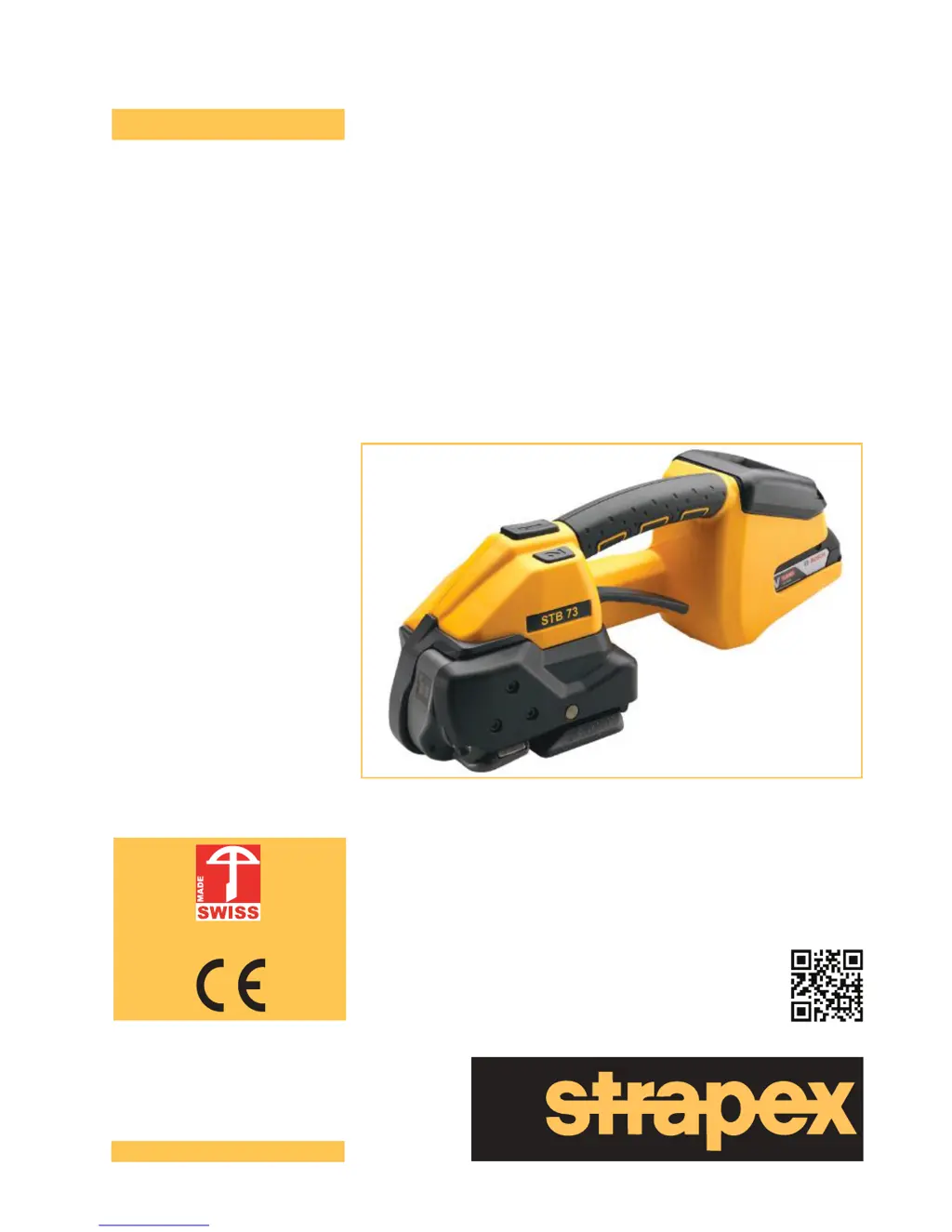
Battery-operated hand tool for plastic strapping
STB 71
STB 73
STB 75
Operating instructions
English
Patent pending
www.strapex-stb.com

Questions and Answers

  • T
    Terri SchmittAug 19, 2025
    Why does the display of my Strapex Power Tool remain dark?
    • K
      Katelyn MejiaAug 19, 2025
      The display might remain dark because the battery is faulty or fully discharged, so charge or replace the battery. Alternatively, the battery might not be properly inserted; check if it is completely inserted and the unlocking device is engaged.
  • D
    Diane RussellAug 21, 2025
    What to do if my strapex STB 71 shows E27 (E23) error with a red display and pulsating symbol?
    • S
      Shawna McconnellAug 21, 2025
      The E27 (E23) error indicates that the battery undervoltage limits have been reached or the battery is empty. Charge the battery, and if the problem persists, replace it.
  • N
    Natasha HaynesAug 23, 2025
    What causes E20 error on my strapex STB 71 Power Tool?
    • M
      Matthew ShawAug 23, 2025
      The E20 error, accompanied by a red display and pulsating symbol, indicates that the battery is too hot (over 60°C/140°F). Allow the battery to cool down. If the issue continues, try charging the battery or replacing it if necessary.
  • A
    Anthony StoneAug 26, 2025
    What does it mean when my Strapex Power Tool displays E33 with a red display and pulsating symbol?
    • D
      dandersonAug 26, 2025
      The E33 error, along with a red display and pulsating symbol, indicates electronics overtemperature or that the controller is too hot. Allow the tool to cool down.
  • R
    Richard GentryAug 28, 2025
    What should I do if my strapex STB 71 Power Tool displays E57 with the tension force display flashing?
    • C
      Christopher DuffyAug 28, 2025
      The E57 error with a flashing tension force display suggests that the strap has slipped or broken. Reinsert the strap. Also, check the tension force, if the strap is dirty, the type of strap used, and the condition of the tension wheel/tooth plate.
  • A
    Andrea WolfAug 30, 2025
    What does E24 error mean on strapex STB 71?
    • E
      Erica SummersAug 30, 2025
      The E24 error, shown with a red display and pulsating symbol, means the battery is not properly inserted. Ensure the battery is correctly inserted. It can also mean that the wrong battery is used, in which case you should charge the battery, replacing it if necessary.
  • E
    Elizabeth FarleySep 1, 2025
    How to fix E11 error on Strapex Power Tool?
    • C
      carrillobrandonSep 1, 2025
      The E11 error, along with a red display and pulsating symbol, indicates that an incorrect battery has been inserted. Insert the correct battery.
  • C
    christopherbrownSep 4, 2025
    What does E55/56 error on my Strapex Power Tool mean?
    • J
      Johnathan KaufmanSep 4, 2025
      The E55/56 error, accompanied by an orange display and pulsating symbols, indicates an aborting of the tensioning process, performance limitation, or a timeout. Try repeating the tensioning process.
  • K
    Kevin OneillSep 6, 2025
    What to do if strapex STB 71 Power Tool displays E25 error?
    • A
      Alexandria PhillipsSep 6, 2025
      The E25 error, shown with a red display, pulsating symbol, and flashing indicators, suggests that the battery is not properly inserted. Ensure the battery is correctly inserted. It can also indicate a faulty temperature sensor, which may need replacement.
  • R
    richmondmarkSep 8, 2025
    What causes E37 error on strapex STB 71 Power Tool?
    • J
      jennifer38Sep 8, 2025
      The E37 error, displayed with an orange display and pulsating symbol, indicates that the tool is jamming during the welding process due to a dirty welding mechanism or a foreign body in the tool. Clean the welding mechanism.

Summary

General Information

Warning Symbols and Conventions

Explains the meaning of various warning symbols and usage conventions used in the manual.

Disposal and Environmental Protection

Provides guidance on the proper disposal and recycling of the tool and its components.

Safety

Intended Use and Misuse

Defines the proper application of the tool and lists prohibited uses to prevent hazards.

Safe Working Practices

Outlines essential safety measures and personal protective equipment for operating the tool.

General Power Tool Safety

Covers general safety warnings related to work area, electrical safety, and personal conduct.

Description

Tool Design and Components

Details the physical parts and design features of the strapping tool.

Tool Functionality

Describes the operational principles and mechanisms of the strapping tool.

Scope of Delivery and Accessories

Lists items included in the package and available optional accessories.

Preparing for Operation and Settings

Battery Handling and Charging

Instructions for charging, inserting, removing, and checking the battery status.

Operating Mode Selection

Guides on choosing between Semi-automatic, Fully automatic, and Manual operating modes.

Strap Tension and Welding Settings

Explains how to set the desired strap tension and welding time for optimal performance.

Touch-Pad Lock and Favorite Settings

Details how to lock the touch pad and configure favorite settings for quick adjustments.

Sleep Mode

Describes the tool's energy-saving sleep mode and how to exit it.

Operating Instructions

Strapping Procedure

Step-by-step guide on how to strap packages using the tool.

Seal Inspection

Procedures for visually inspecting the quality of the strap seal after strapping.

Adjusting Strap Width

Instructions on how to change the tool's strap width compatibility.

Preventive and Corrective Maintenance

Maintenance Schedule and Cleaning

Outlines the preventive maintenance schedule and procedures for cleaning the tool.

Re-greasing and Component Replacement

Instructions for re-greasing the tool and replacing wear parts like tension wheels and tooth plates.

Knife Replacement and Tool Reset

Guides on replacing the cutting knife and performing a tool reset procedure.

Troubleshooting Common Errors

Provides solutions for common error displays, symbols, and operational issues.

Technical Data

EC Declaration of Conformity

strapex STB 71 Specifications

General IconGeneral
Brandstrapex
ModelSTB 71
CategoryPower Tool
LanguageEnglish

Related product manuals