4 Preparing for operation and settings
4.1 Battery
For detailed information, see the separately enclosed operating instructions for the battery and the
charger.
WARNING
Only use Bosch batteries and chargers as described in this manual (Section 3.3). Use of
other batteries/chargers can result in injury or re. To avoid the risk of personal injury or
re, read the battery charger operating instructions prior using the charger and battery.
4.1.1 Charging the battery
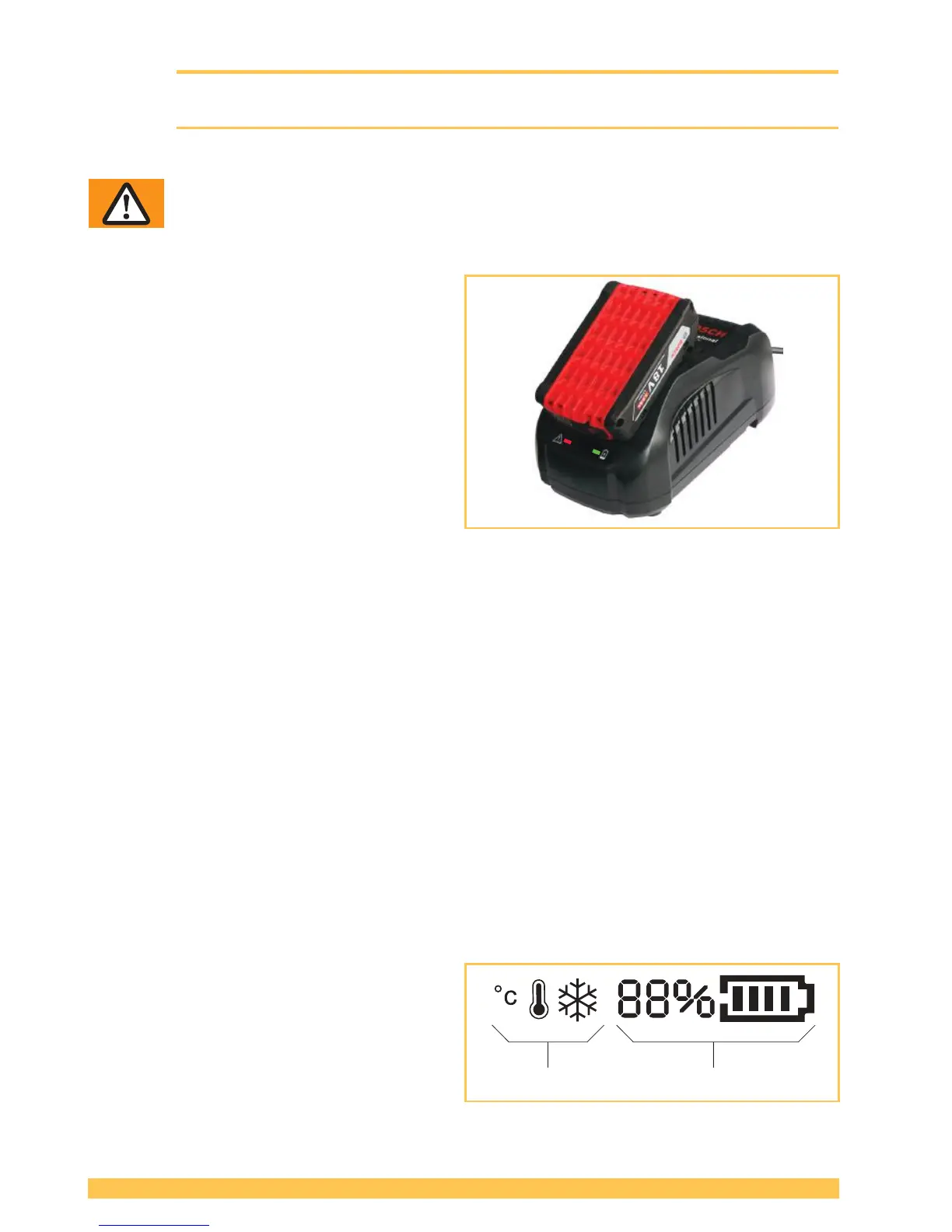
► Connect charger to mains.
– Green LED illuminates (charger ready for
use).
► Insert battery in charger.
– Green LED ashes: Battery is being
charged.
– Green LED illuminates continuously:
Battery is fully charged.
– Red LED illuminates continuously: Battery
temperature outside charge-temperature
range.
– Red LED ashes: see operating instruc-
tions of charger.
● Charging time: Charging of empty battery: approx. 15–35 min.
● Ideal battery temperature during charging process: 15–40 °C (59–104 °F)
● Avoid battery temperatures below 0 °C (32 °F) and over +45 °C (113 °F) during the charging
process.
● The battery can be charged at any time, regardless of the charge status.
4.1.2 Inserting/removing battery in/from tool
► Inserting the battery: Insert the charged battery into the tool. The unlock button must engage in the
second step (in the rst step the battery is held in place in the tool, but without electrical contact).
– The displays on the operating panel illuminate.
● If the tool is not used for approx. ve minutes the display changes into sleep mode. Cancelling
sleep mode: Lift rocker lever.
● If the tool is not used for a long period (days) the battery must be removed from the tool and
charged/stored in the battery charger.
► Removing the battery: Press the unlock button and remove the battery at the same time.
4.1.3 Checking the charge status
► LED display "Battery charge status" on oper-
ating panel, with battery inserted:
– The charge status is shown in % and by a
progress bar (1)
– Below 10% minimum charge (battery must
be charged)
– The information symbols (2) only appear if
a corresponding situation is occuring (Section 6.8).


 To Next Page