4.7 Select Favorite
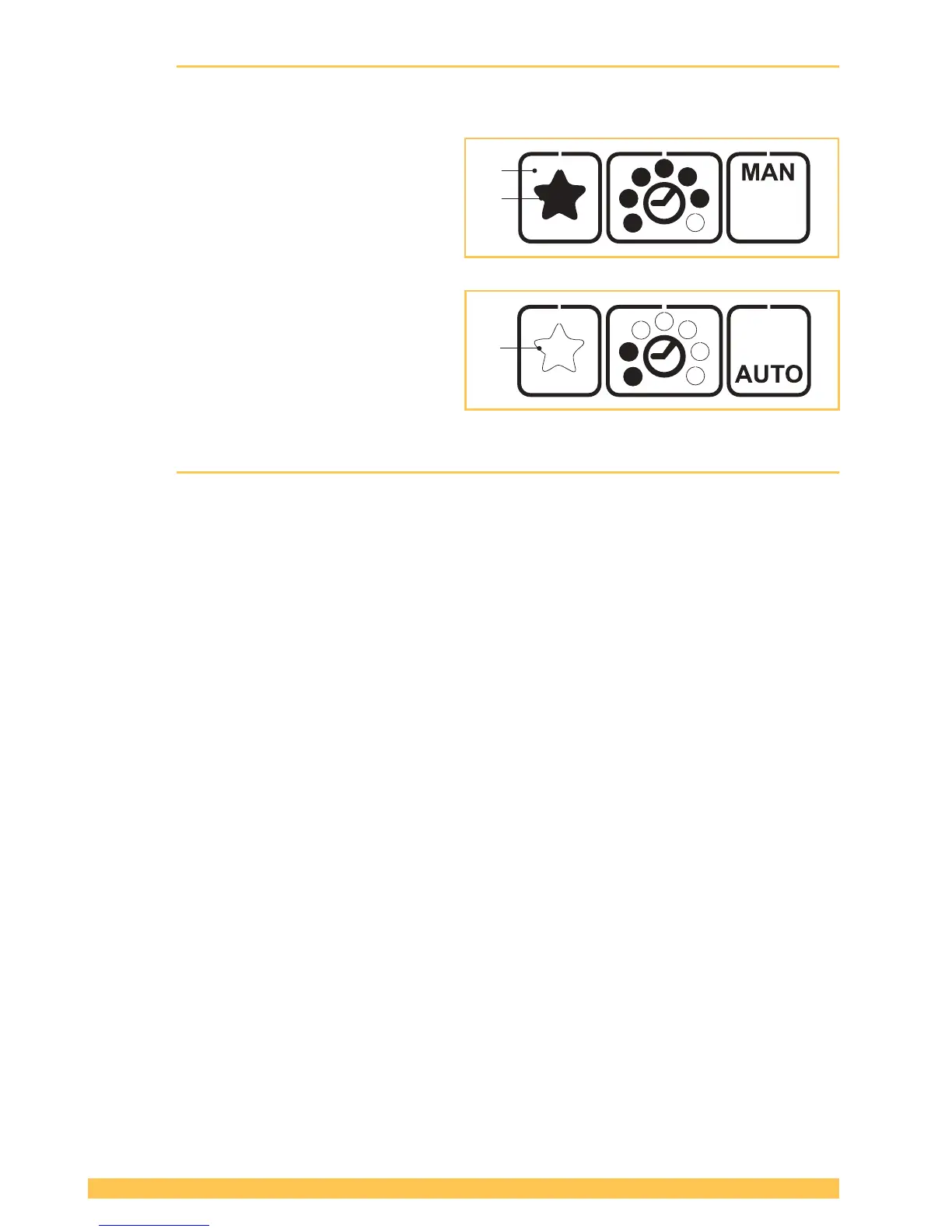
The "Favorite" function activates a second setting level whose parameters can be set freely as at the
main level. This allows the user to switch quickly from one tool setting to another.
Activating Favorite:
► Press the "Favorite" button (1).
– The star (2) changes from outlined to
lled.
– All parameters change to the values pre-
set at this setting level.
Deactivating Favorite:
► Press the "Favorite" button (1).
– The star (3) changes from lled to out-
lined.
– All parameters change to the values pre-
set at this setting level.
4.8 Sleep mode
To avoid unnecessary battery discharge, the tool switches to energy-saving mode within short time.
– The operating panel becomes dark (not Illuminated).
► Pressing the operating panel switches the energy-saving mode off again.
After approx. ve minutes without operation the tool switches to sleep mode.
– The operating panel is switched off (black).
► Actuating the rocker lever switches the sleep mode off again.
2



 To Next Page