4.3 Setting strap tension
The set tension force is displayed continuously when the tool is ready for operation.
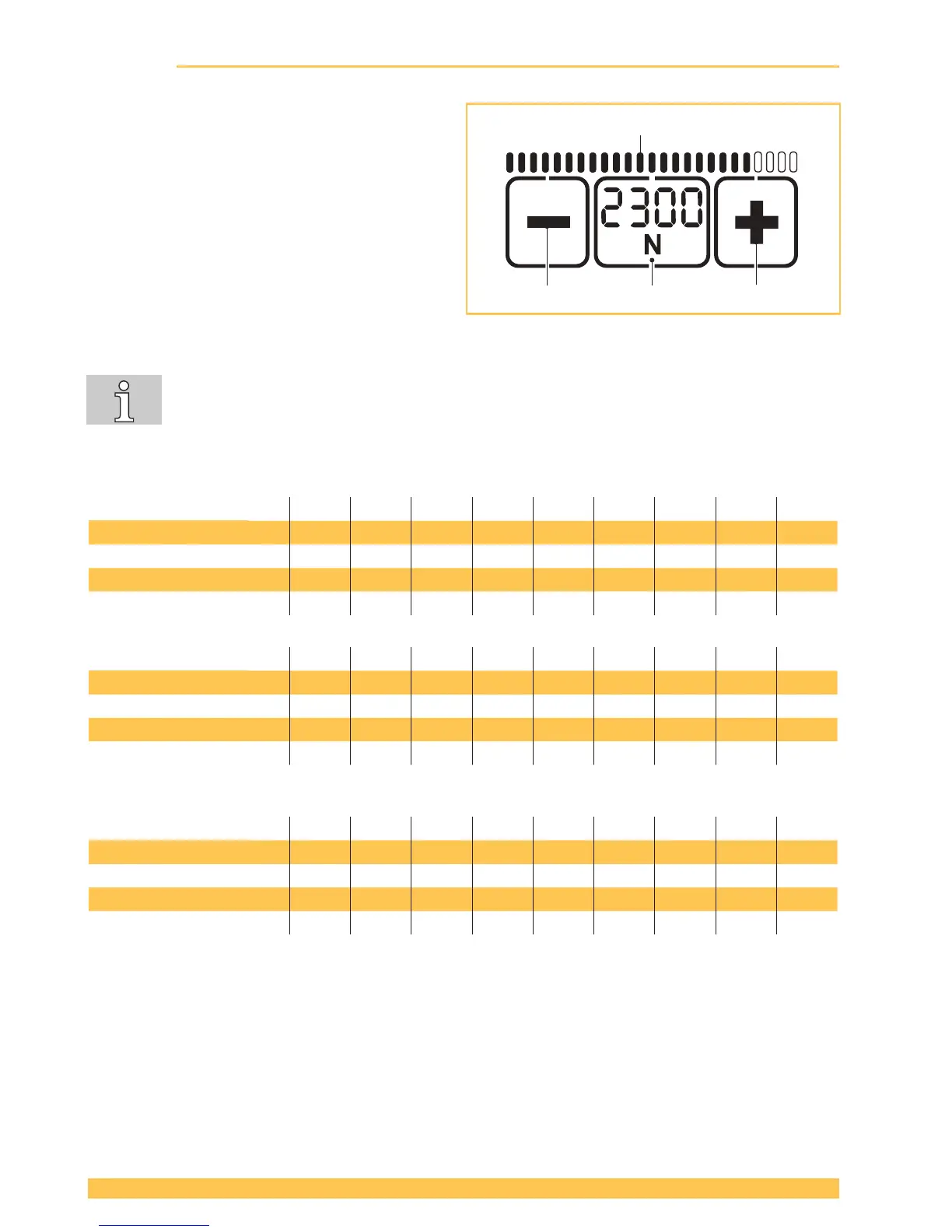
► Press "Tension force" button (2).
– The set tension force ashes for 5 sec-
onds.
– The + (1) and – (3) buttons appear.
– Unused displays disappear.
► Press the + (1) or – (3) button until the desired
tension force is displayed.
– The status indicator bar (4) shows the set
tension force in relation to the possible
maximum value.
► Save: Press the "Tension force" button (2) or
wait for 5 seconds.
● Switch between display in "N" or "lbf": Press the ashing "Tension force" button (2) for
two seconds.
● Every time the button is pressed an acoustic signal conrms the action.
● The tension force is displayed continuously when the tool is operational.
● Setting soft tension (Section 4.4).
STB 71: 1 2 3 4 5 6 7 8 9
Standard: N* 400 500 600 700 800 900 1000 1100 1200
lbf* 90 110 135 155 180 200 225 250 270
Soft N 150 225 300 375 450 525 600 675 750
lbf 33 50 67 85 100 120 135 150 165
STB 73: 1 2 3 4 5 6 7 8 9
Standard: N* 900 1100 1300 1500 1700 1900 2100 2300 2500
lbf* 200 250 290 340 380 430 470 520 560
Soft N 400 520 640 760 880 1000 1120 1240 1360
lbf 90 115 145 170 200 225 250 280 305
STB 75: 1 2 3 4 5 6 7 8 9
Standard: N* 1300 1700 2100 2500 2900 3300 3700 4100 4500
lbf* 290 380 470 560 650 740 830 920 1000
Soft N 400 550 700 850 1000 1150 1300 1450 1600
lbf 90 120 160 190 225 260 290 325 360
(rounded values)
* N = Newton, lbf = pound-force per square inch


 To Next Page