AD Plus2.0 User Manual
Page 27 of 66
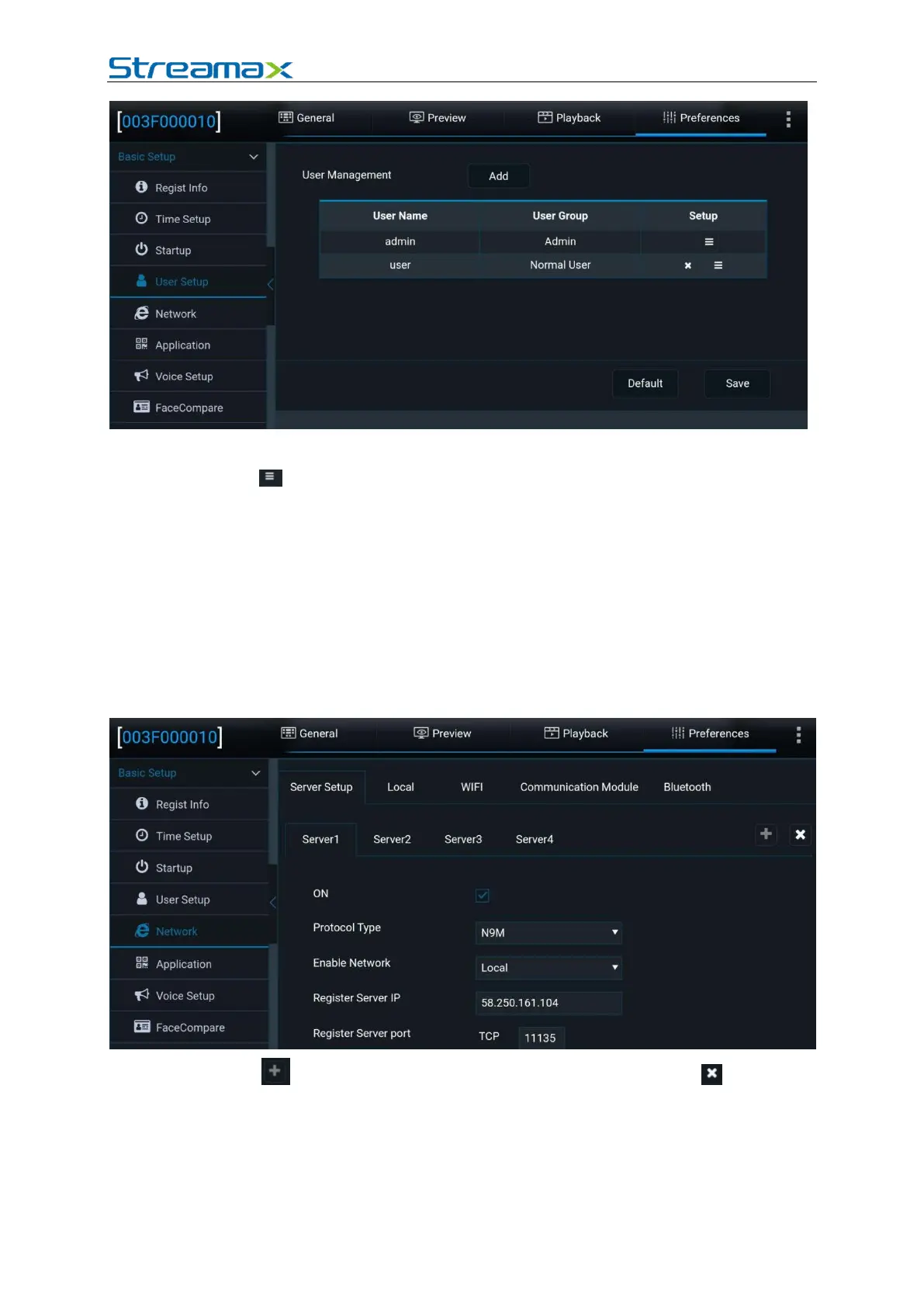
1. Tap Add to add a user.
2. Tap in the Setup column to set the password for the user login.
3. admin (Admin): The system has an administrator account by default. The
administrator has the permission to add/delete common users and set
parameters. It can add a maximum of two common users.
4. user (Normal User): only has the permission to query settings.
2.6.5. Network
Server Setup
Tap Preferences > Basic Setup > Network > Server Setup, as shown in the
following figure:
1. Tap on the right part of the screen to add a server; tap to delete a
server on the screen, but Server1 cannot be deleted.
2. ON: enables a server after being selected. A maximum of three servers can be
enabled simultaneously. If it is deselected, the device will not report the server
information yet with server parameters reserved.
3. Protocol Type: can be set to N9M or 808.



 To Next Page