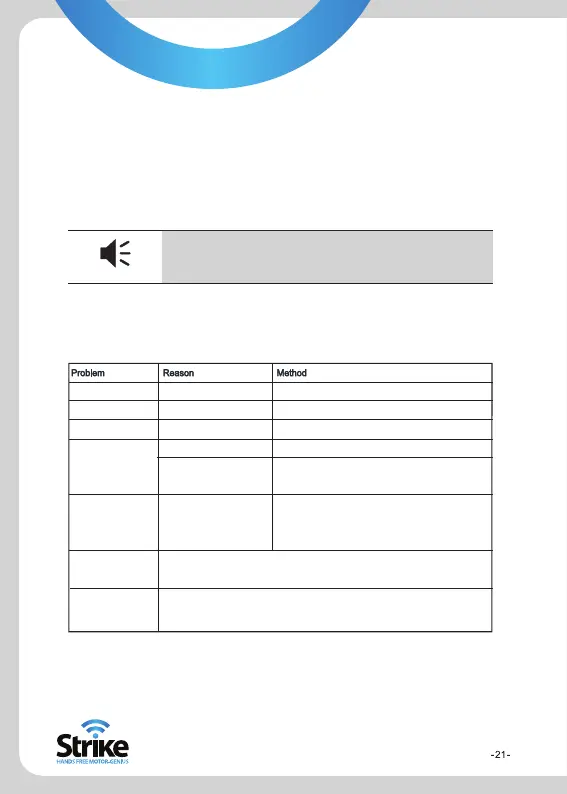
6. Malfunction Analysis
If the device does not work smoothly, follow the methods below. If problems
persist please visit www.strike.com.au/gps
Can not power on
Power off suddenly
Touch screen deflected
No sound when
playing
Power key invalid,
touch screen and
display abnormal
Can not receive GPS
signal
Map data missing
Low power
Low power
Calibration is not precise
Too low volume
Poor connection between
earphone and device
The system has crashed
Depends on the intensity of the local signals. It could take up to two minutes to receive
the signal.
Copy the map data onto the SD card again
Contact local retailer or distributor
You need to enter the activation password when you use the device again
Charge the battery
Charge the battery
Refer to System > Calibration in GPS Menu
Turn volume on or up
Insert the earphone properly
Press the reset key with touch pen to restart
5.6.5 System Information
1. Click the Calibration icon in the information box to adjust the
touch screen. Click the cursor in the middle of the touch screen in
the following sequence: middle, left-up, left-down, right-down and
right up.
2. To do a “Factory Reset” go to Settings, Sys Info and then click
the Factory Reset icon.
Tip
To do a “GPS Reset”, go to GPS Info (in the main
menu) and tap the GPS Reset icon.
Tips


 To Next Page