Use of the Bluetooth Earphone
Before using the Strike Genius GPS please ensure that the Bluetooth earphone
power is turned on (green light should be flashing). On the GPS unit, click the
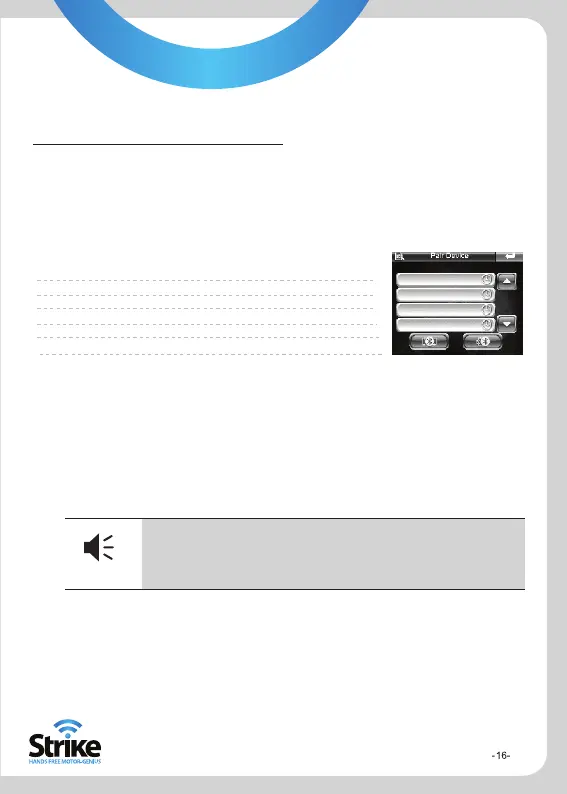
Bluetooth icon to enter the host Bluetooth interface.
The function of each key for the search interface is as follows:
Return Return to previous menu
Arrow Up Select the previous device
Arrow Down Select next device
Connect Connect with device
Disconnect Disconnect with device
Name Displaying the device that search out
5. Function Operation
The pairing code for the Strike Genius is 123456.
After successfully pairing, the green light of the Bluetooth earphone will stop
flashing and hold its green light. When you return to the previous menu, the
‘Connect to Bluetooth Headset’ box will be ticked, indicating it has paired.
Tips
Tips
When using the Bluetooth earphone the next time you power
on your GPS, there is no need to search and pair, as these
two items will automatically find and pair with each other.


 To Next Page